
The best RDP for Sri Lanka depends on whether you need a Sri Lankan IP or a private Windows desktop that is easy to pay for from Sri Lanka. For most buyers running browser work, MT4/MT5, automation or remote office apps, a private US East Coast VM with administrator access is the stronger value than a shared account.
Quick comparison
Here are the main RDP choices a Sri Lankan buyer should compare. Prices for local and generic providers vary by provider, Windows licensing and location, so check the final checkout total rather than comparing a headline price alone.
| Option | Typical fit | What to check first | Payment and location |
|---|---|---|---|
| VPSLake Buffalo Windows RDP 4 GB | Best overall for one user, one browser profile, MT4/MT5 or rater work | 4 GB reserved RAM, 3 vCPU, private KVM VM, full Administrator, dedicated US IPv4 | $9.99/mo; crypto, UPI/card and card; Buffalo, New York |
| Local Sri Lankan Windows VPS | A Sri Lankan IP or local hosting relationship is essential | Actual IP location, route quality, RDP access, backups and Windows licence terms | Usually billed in LKR; verify the current plan and payment method |
| Generic overseas Windows VPS | You need a different country or a larger custom configuration | Windows surcharge, dedicated resources, control panel and data-centre region | Often card-based; location and final total vary |
| Self-managed KVM VPS | You already have a valid Windows licence and want maximum control | Windows compatibility, storage, remote console and your own setup time | Usually requires a separate licence and manual configuration |
The first option is the practical default for a private US RDP at a predictable monthly price. If a Sri Lankan IP is essential, make that requirement explicit before ordering.
Why Sri Lankan buyers use RDP
An RDP server gives you a Windows desktop hosted in a data center. You connect from a laptop, phone or another computer, while the applications and files run on the remote machine.
Common use cases include running a single MT4 or MT5 terminal, using Windows-only software, managing a small number of browser profiles, and completing remote rating or research work.
The important distinction is between a private virtual machine and a shared RDP account. With a private VM, your selected RAM, storage and administrator access are assigned to your own instance. A shared account may be cheaper at first, but you have less control over the environment and other users can affect the session.
For a broader explanation of the difference, see private RDP vs shared RDP.
What to check before you buy RDP in Sri Lanka
1. Confirm the IP location
“RDP in Sri Lanka” can mean either an RDP service sold to a Sri Lankan customer or a server with a Sri Lankan IP. Those are different products. VPSLake’s Buffalo plan gives you a US IPv4 address, which is useful for US-facing services but is not a Sri Lankan residential or local IP.
Ask for the city or region, not just the country. A server on the US East Coast can be a sensible compromise for North American services, while a local server may be preferable for systems that require Sri Lankan geolocation.
2. Check that resources are private and reserved
Look for the actual RAM, vCPU, storage and traffic allowance. For a single browser profile or one trading terminal, 4 GB is a reasonable starting point. Several browser profiles, multiple terminals or heavier desktop applications generally need 8 GB or more.
VPSLake’s 4 GB Buffalo plan provides 3 vCPU, 4 GB reserved RAM, 60 GB SSD storage, 3 TB traffic and a 200 Mbps port. The 8 GB plan provides 4 vCPU, 8 GB RAM, 100 GB storage, 5 TB traffic and a 300 Mbps port.
Port speed is only one part of the experience. RDP responsiveness is also shaped by latency, packet loss, CPU contention and the route between your Sri Lankan ISP and the server.
3. Confirm administrator access
Full Administrator access matters if you need to install approved software, configure Windows, create users or manage services. It also means you are responsible for basic security: use a strong unique password, install updates, keep only necessary software, and avoid exposing extra ports.
Microsoft’s official Remote Desktop client documentation explains the normal connection flow: enter the remote PC name or IP address, select the user account and verify the connection certificate before signing in.
4. Read the Windows licence terms
VPSLake supplies a Windows Server 2019, Windows 10 Pro or Windows 11 Pro image on the Buffalo order form, but Windows is BYOL. You bring your own Windows licence; there is no Windows licence surcharge in the plan price. Do not treat a low monthly server price as proof that a commercial Windows licence is included.
The best RDP options ranked
1. VPSLake Buffalo Windows RDP 4 GB — best overall
This is the best starting point for most Sri Lankan buyers who want a private Windows workspace rather than a local Sri Lankan IP. It costs $9.99/mo and includes a private KVM VM, full Administrator access, 4 GB reserved RAM, 3 vCPU, 60 GB SSD storage, 3 TB traffic and one dedicated US IPv4 address.
The plan is well matched to one browser profile, one MT4/MT5 EA, rater work or a Google Ads account. You can choose the Windows Server 2019, Windows 10 Pro or Windows 11 Pro image during ordering, then use the client area for the browser console, reinstall and reboot controls.
Payment is useful for buyers whose bank card does not work on a particular overseas checkout. VPSLake accepts crypto through Cryptomus, UPI and cards through Razorpay or Cashfree, and international cards through Paddle. Quarterly billing saves 5%, while yearly billing gives two months free.
For several browser profiles or multiple terminals, move up to the 8 GB plan at $16.99/mo. Heavy multi-profile work can use the 16 GB plan at $29.99/mo or the 32 GB plan at $54.99/mo.
2. A local Sri Lankan Windows VPS — best only when local IP is mandatory
A local provider may be the right category if your application needs a Sri Lankan IP, local routing or billing in Sri Lankan rupees. Confirm the assigned IP location, private VM resources, administrator access and Windows licensing before paying.
3. A generic overseas Windows VPS — best for a special region or custom size
Large cloud providers can make sense when you need a region outside the US, a custom network design or integrations with another cloud account. Compare the full total after adding Windows licensing, storage, traffic and management fees.
4. A self-managed KVM VPS — best for experienced administrators
A self-managed KVM VPS gives you control, but it is not the same as a ready-to-use RDP. You may need to install Windows, configure networking, create the user, enable Remote Desktop and apply updates yourself.
Paying from Sri Lanka: card or USDT?
Sri Lankan card holders can make legitimate foreign-currency personal payments, but the Central Bank of Sri Lanka notes that individual banks may set their own limits or controls. Its guidance on electronic fund transfer cards recommends contacting the issuing bank if a legitimate overseas payment fails.
That makes it sensible to keep two payment routes available:
- Try an international card and confirm that overseas online payments are enabled.
- If the card is declined or the limit is inconvenient, use USDT or another supported cryptocurrency through the provider’s payment page.
- Check the final currency, renewal term and plan size before sending payment.
- Do not share your RDP password in chat or with a third party.
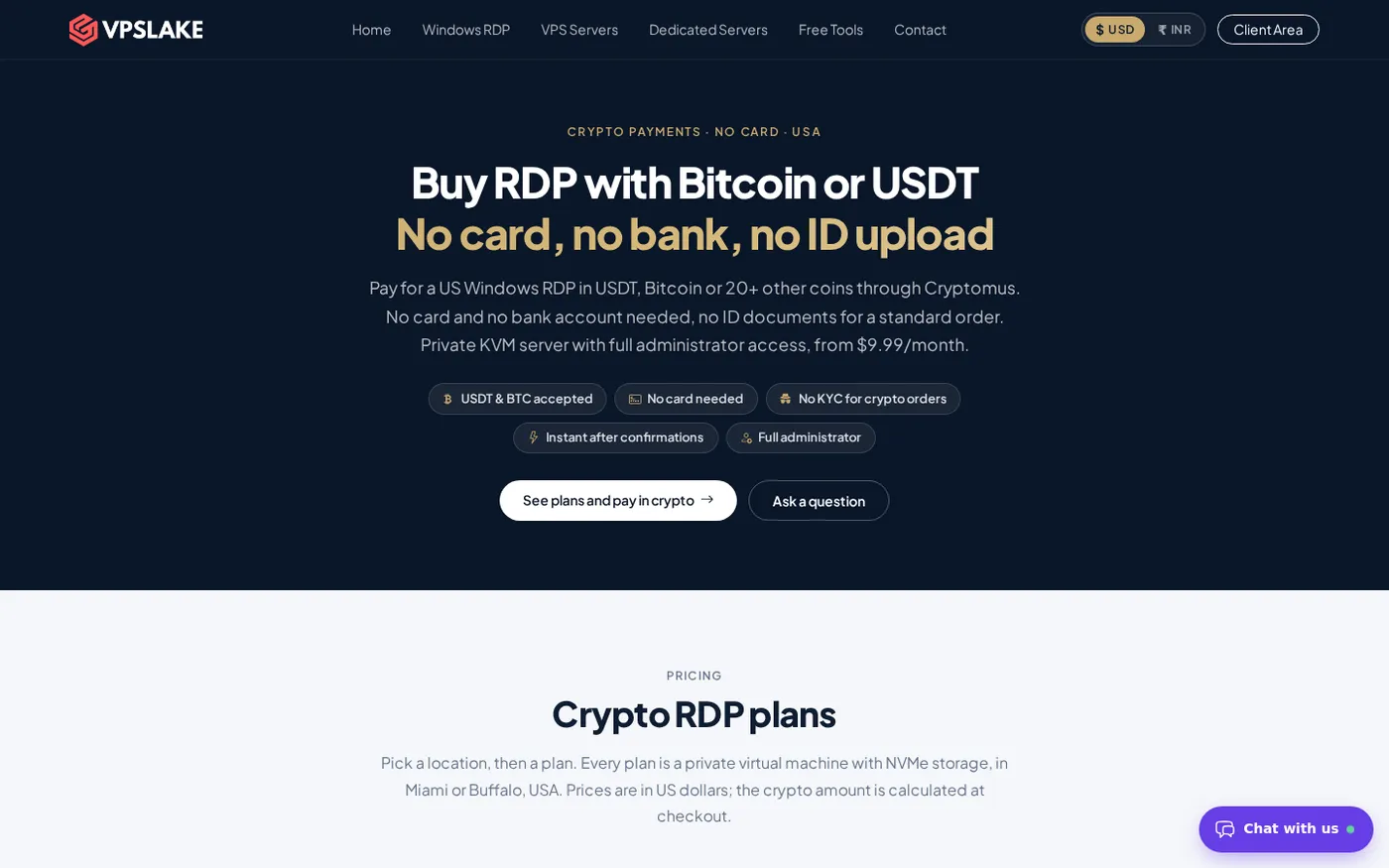
See how to buy RDP with crypto for the payment route and supported checkout flow.
Speed from Colombo to a US RDP
There is no single “Sri Lanka RDP speed” number for every connection. Your experience depends on the ISP route, Wi-Fi quality, packet loss, server load and distance to the remote data center.
For office work, browser sessions and trading terminals, a stable connection matters more than a headline port number. Use strong Wi-Fi, lower RDP display settings if needed, and avoid high-resolution video streams.
Buffalo is in New York State on the US East Coast. Test the route from your own ISP after provisioning, and choose a local location if your application requires Sri Lankan geolocation.
Setup checklist after purchase
- Confirm the IP, username and selected Windows image.
- Change the initial Administrator password before installing other software.
- Run Windows Update and restart when updates require it.
- Install only the applications you need and download them from their official sources.
- Turn on multi-factor authentication for the services you access inside the RDP.
- Avoid saving payment details on the remote server.
If you are new to Windows VPS hosting, how to set up a Windows VPS after purchase covers the first connection and basic configuration decisions.
FAQ
What is the best RDP for Sri Lanka?
For most buyers who need a private Windows desktop, administrator access and a US IP, VPSLake’s Buffalo Windows RDP 4 GB is the best starting point at $9.99/mo. If you specifically need a Sri Lankan IP, compare local Windows VPS providers instead because server location is part of the product.
Can I buy RDP from Sri Lanka with USDT?
Yes. VPSLake accepts crypto through Cryptomus, so you can use the crypto checkout if your bank card is declined or you prefer not to use a card. Check the selected plan, wallet network and final payment instructions carefully before sending funds.
Is Windows included with the RDP plan?
VPSLake supplies the selected Windows image, but the plan is BYOL. You bring your own Windows licence, and the plan does not add a Windows licence surcharge.
How much RAM do I need for RDP?
4 GB is a sensible starting point for one browser profile, one MT4/MT5 terminal or light remote work. Choose 8 GB for several browser profiles or terminals, and consider 16 GB or 32 GB for heavier multi-profile workloads.
Is a US RDP fast enough from Sri Lanka?
It can be, but the result depends on your ISP route, packet loss and the applications you run. Buffalo gives you a US East Coast endpoint; test the connection from your own Sri Lankan network rather than relying on a generic latency promise.