

In today’s digital age, remote work has become increasingly common and essential for businesses and individuals alike. Whether you’re a frequent traveller or simply need to access your work computer from home, the ability to connect remotely is crucial. This is where technologies like Remote Desktop Protocol (RDP) and Virtual Private Networks (VPNs) come into play.
But what exactly are RDP and VPN? And how do they differ from each other? In this blog post, we will explore the key differences between VPNs and RDP, helping you understand their unique functionalities and determine which solution is best suited for your needs.
Use RDP when you need to control one specific machine — its desktop, its applications, its files — as though you were sitting at it.
Use a VPN when you need to join a network privately — to reach shared resources, or to encrypt your traffic on untrusted Wi‑Fi.
They solve different problems, and plenty of setups run both: a VPN for the secure tunnel, RDP inside it for the desktop.
RDP vs VPN at a Glance
| RDP | VPN | |
|---|---|---|
| What it gives you | Full control of one remote desktop | A private connection into a network |
| Best suited to | Running apps on a remote machine | Reaching shared files and internal services |
| Speed | Fast — a direct session, minimal latency | Slower — encryption and rerouting add overhead |
| Privacy / anonymity | Not its purpose | Hides your IP and encrypts traffic |
| Setup effort | Ports and firewall rules to configure | Built into most modern devices |
| Main risk | Exposed ports are actively targeted | You are trusting the provider with your traffic |
| Multiple users | Several sessions on one server | Many clients on one network |
| Geo-restricted content | Not designed for it | A common everyday use |
Winner Of Best RDP and VPN Providers

VPSLake
High-performance Windows RDP and VPS on AMD EPYC hardware, with a 99.99% uptime SLA.
Visit VPSLake
NordVPN
Large server network, strong encryption and a no-logs policy for everyday private browsing.
Visit NordVPNWhat is a Remote Desktop Protocol (RDP)?
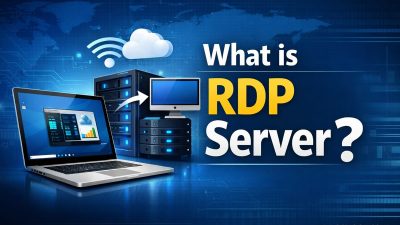
Remote Desktop Protocol, commonly known as RDP, is a technology that allows users to access and control a remote computer or server from their own device. It enables individuals to connect to their office computer while working remotely or troubleshoot technical issues on another machine without physically being present.
Using RDP, you can view the desktop interface of the remote computer and interact with it as if you were sitting right in front of it. This means you can open files, run applications, transfer data, and perform other tasks seamlessly.
RDP operates through a client-server model where the client device initiates a connection to the remote server using TCP/IP protocol. The client sends input commands such as mouse movements and keystrokes to the server, which processes them and sends back visual updates in real-time.
One of the key advantages of RDP is its ability to provide full desktop access. Unlike other remote solutions that only allow file-sharing or application-sharing, RDP gives you complete control over the remote system’s graphical user interface.
To establish an RDP connection, both devices need to have compatible software installed. Windows operating systems come with built-in support for RDP connections called Remote Desktop Connection (RDC), making it widely accessible for Windows users.
Why Choose an RDP and Not a VPN?
When it comes to remote access solutions, both Remote Desktop Protocol (RDP) and Virtual Private Network (VPN) have their own strengths and weaknesses. While VPNs are commonly used for secure online connections, RDP offers a more direct approach to accessing remote desktops or servers.
One of the main reasons why you might choose RDP over VPN is its simplicity. With RDP, you can quickly connect to your remote device without the need for complex configurations or additional software installations. It provides a seamless experience by allowing you to access your desktop remotely as if you were sitting right in front of it.
Another advantage of using RDP is its speed. Since the connection is established directly between your local machine and the remote device, there is minimal latency involved. This makes it ideal for tasks that require real-time interaction or resource-intensive applications where performance matters.
RDP also offers granular control over user permissions and access rights. You can easily define who has access to specific resources on your network, ensuring that sensitive data remains secure. Additionally, with features like session recording and auditing capabilities, you can monitor user activity for compliance purposes.
Furthermore, RDP allows multiple users to simultaneously connect to a single server without compromising performance. This makes it an excellent choice for businesses that need shared access to specific applications or files.
However, it’s important to note that while RDP may offer convenience and speed, security should not be overlooked. Without proper security measures in place such as strong passwords and encryption protocols, unauthorized individuals could potentially gain access to your system through exposed ports.
5 Advantages of RDP
- 1 Enhanced Productivity Access your work computer from anywhere, at any time. You can keep working on important projects away from your office desk or while travelling, with no need to carry bulky laptops or external storage — all your files and applications stay on your office computer.
- 2 Cost-effective Solution Especially for remote teams or multiple branch locations. Instead of investing in individual computers for each employee, set up a central server and let staff connect through RDP clients — saving on hardware, maintenance and IT support.
- 3 Improved Security With proper authentication protocols and encryption, RDP keeps connections between the client device and host computer secure, minimising the risk of unauthorised access or data breaches.
- 4 Centralised Management Manage software updates, security policies and user permissions from one place. Administrators can control access rights, monitor activity remotely and troubleshoot without being physically present at each workstation.
- 5 Collaboration Made Easy Team members collaborate regardless of location. Multiple users can connect to a single host computer at the same time via separate sessions, each with their own login credentials.
Remember that these are just some key advantages associated with using Remote Desktop Protocol. Every organization has unique needs, so it’s crucial to evaluate whether these benefits align with your specific requirements before deciding to implement an RDP solution.
5 Disadvantages of RDP
- 1 Limited Compatibility RDP is primarily designed for Windows. If you’re on macOS or Linux, accessing your remote desktop through RDP can be more challenging, and some features may be unavailable.
- 2 Bandwidth Dependency A smooth, lag-free session leans heavily on your internet connection. On a slow or unstable link, performance suffers and you get frustrating delays and interruptions.
- 3 Vulnerability to Cyberattacks Because RDP allows direct access to a machine’s desktop, a poorly configured setup exposes you to real risk. Cybercriminals actively scan for vulnerable RDP connections as an entry point for unauthorised access.
- 4 Limited Mobility The machine you want to control has to be on and reachable. That is inconvenient if the host is a desktop at the office that someone has switched off.
- 5 Resource Consumption RDP needs meaningful resources on both the host and the client. That can mean reduced performance at both ends with graphics-intensive applications or heavy multitasking.
These limitations should be carefully considered when deciding whether RDP is the right solution for your specific needs and requirements.
5 Advantages of VPN
- 1 Enhanced Security Your internet traffic is encrypted, making it far harder for hackers or third parties to intercept and read your data. That matters most on public Wi-Fi, where personal information is otherwise exposed.
- 2 Anonymity and Privacy A VPN hides your IP address and replaces it with the server’s, which helps prevent websites from tracking your activity and building a profile on you.
- 3 Access to Geo-Restricted Content By connecting through servers in other countries, you can reach content that would otherwise be unavailable in your region.
- 4 Secure Remote Access A VPN provides secure access to resources on private networks over the public internet — useful for staff working remotely or handling sensitive company information while travelling.
- 5 Cost Savings VPNs remove the need for expensive leased lines or dedicated links between offices in different locations. Staff connect securely without that additional infrastructure.
5 Disadvantages of VPN
- 1 Slower Speeds Data has to be encrypted and decrypted, and it is routed through an extra server. If you need the fastest possible connection, a VPN works against you.
- 2 Limited Access Plenty of websites and streaming platforms actively block connections from known VPN servers, so bypassing regional restrictions does not always work.
- 3 Cost Reliable, secure providers charge a subscription. Costs add up over time, particularly if you need several user licences or extras like a dedicated IP.
- 4 Compatibility Issues Not every device or operating system supports every provider’s software or protocols. Smart TVs and games consoles are common trouble spots.
- 5 You Are Trusting the Provider Your traffic passes through a third party’s server, so the provider’s honesty matters. Some malicious operators run fake “free” VPNs specifically to harvest personal information.
Comparison of VPN and RDP
While both serve the purpose of connecting users remotely to their workstations or servers, they have significant differences in terms of functionality and use cases.
VPN establishes a secure connection between a user’s device and a remote network by encrypting data traffic. It allows users to access resources on the network as if they were physically present at the location. RDP, on the other hand, enables users to control their desktop computers or servers remotely from another device.
One key difference lies in their usage scenarios. VPNs are ideal for accessing shared files, web-based applications, or internal services that require network-level access. In contrast, RDP is more suitable for tasks that involve directly interacting with a specific machine’s desktop environment.
Another distinction is performance. Since VPNs route traffic through the remote network, they can be slower than using RDP for direct remote desktop control.
Security is also an important consideration. While both technologies provide encryption, VPNs offer an additional layer as they shield all internet activity from potential threats outside the remote network.
In terms of ease of use, setting up an RDP connection typically involves configuring port forwarding and firewall settings, which can be complex for non-technical users. Most modern devices come with built-in support for VPN connections, making them relatively easier to set up.
How to Decide if You Need a VPN or an RDP
Start with your specific needs and requirements. Are you looking for remote access to files and applications on your office computer? Or do you simply want to secure your internet connection while browsing the web? The answer usually points clearly to one or the other.
Choose RDP if you…
- Need to run software that lives on one particular machine
- Want a full desktop, not just files on a share
- Care about responsiveness for real-time or resource-heavy work
- Need several people working on one server at once
- Want central control over updates, permissions and auditing
Choose a VPN if you…
- Mainly need shared files and internal web applications
- Work regularly from public or untrusted Wi-Fi
- Want your IP address and browsing kept private
- Need to reach services restricted to certain regions
- Want something that works out of the box on most devices
If you require secure access to multiple systems across different networks without needing full control over individual desktops, a VPN is likely the better fit. If you primarily need direct interaction with one specific computer or server while keeping its configuration intact, RDP is preferable. And if you need both — a private tunnel and a remote desktop — running RDP inside a VPN is a common, sensible arrangement.
Wrapping Up
Both VPN and RDP have their distinct advantages when it comes to remote access. VPNs prioritise privacy and security across a network, while RDP focuses on desktop control and functionality on a specific machine.
The decision between these technologies ultimately comes down to the specific needs and requirements of users or organizations. If you’re looking for fast, reliable Windows RDP or VPS hosting to build on, VPSLake’s RDP plans are a good place to start.
If you found this comparison useful, please share it — we appreciate the support, and we look forward to bringing you more informative content in the future.