
A ddos protected dedicated server can keep hostile traffic from overwhelming the network around your machine, but the phrase does not mean every application is automatically secure. You need to understand which layer the provider protects, then add sensible controls for websites, APIs, game services, or remote access.
What you need to know before buying
Distributed denial-of-service (DDoS) attacks use many sources to send traffic or requests at the same target. The aim is to exhaust bandwidth, connection state, CPU, memory, database capacity, or another resource until legitimate users cannot use the service.
The important buying question is not simply “does it have DDoS protection?” Ask what happens before traffic reaches your server, which protocols are covered, how you are contacted during an event, and which controls remain your responsibility.
For a plain-language overview, Cloudflare’s explanation of application-layer DDoS attacks is useful. It explains why a request that looks normal can still trigger expensive work on the origin server.
Step 1: Identify what an attack is trying to exhaust
Why it matters: the resource under pressure determines which protection layer can help.
A volumetric attack sends a large amount of traffic to consume network capacity. A protocol attack, such as a SYN flood, targets connection handling and network equipment. An application-layer attack sends valid-looking requests to a website, API, login endpoint, or game service and tries to consume the work performed after the request arrives.
The same server can face more than one type at once. AWS groups DDoS events into network volumetric attacks, network protocol attacks, and application-layer attacks in its AWS Shield documentation. That classification is a useful checklist when you compare provider descriptions.
| Attack focus | Typical pressure point | Protection you should look for |
|---|---|---|
| Volumetric flood | Bandwidth and upstream capacity | Provider or network-edge mitigation |
| Protocol flood | Connection tables, firewalls, and transport handling | Network and transport-layer filtering |
| Application flood | CPU, database, API, or web-worker capacity | WAF rules, rate limits, caching, and application tuning |
A larger CPU or more RAM does not replace filtering upstream. More hardware can give an application more headroom, but it cannot make a saturated link available to real users.
Step 2: Separate network protection from application protection
Why it matters: “protected” is meaningful only when you know where the filtering occurs.
Network-level mitigation is designed to identify and remove hostile packets or flows before they consume the protected server’s resources. It is particularly relevant to floods that target IP addresses, ports, TCP behavior, UDP services, or bandwidth.
Application-level mitigation looks at the request or session itself. A web request may be syntactically valid and come from a real-looking client, yet repeatedly trigger a search, login, report, or database query. Cloudflare notes that this makes Layer 7 traffic harder to distinguish from normal use and that adaptive rules, WAF controls, and challenges can reduce the load reaching an origin.
The two layers complement each other. A dedicated host with provider-level DDoS protection is a strong foundation for a public server, while a website or API may still need a reverse proxy, WAF, caching, authentication controls, endpoint rate limits, and query protection. A game server may need protocol-aware filtering and a server firewall rather than HTTP rules.
Step 3: Check what a DDoS protected dedicated server includes
Why it matters: dedicated hardware gives you control and predictable resources, while the provider’s network gives you a first line of defense.
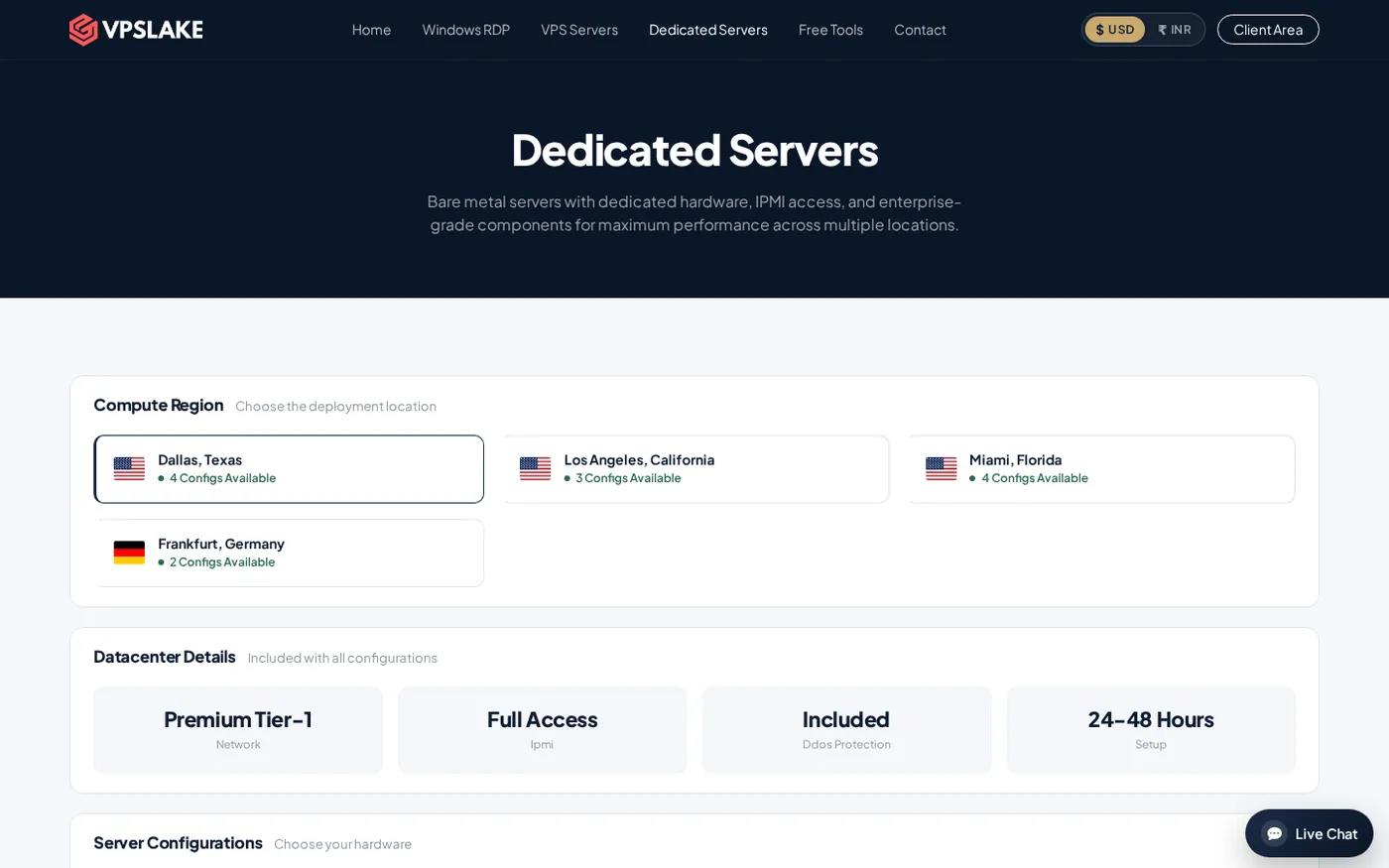
VPSLake lists DDoS protection as included on its dedicated server plans. The DS-1 is the entry point at $34.99/mo and combines an AMD Ryzen 5 3600 processor, 32 GB DDR4 RAM, a 500 GB NVMe drive, 30 TB traffic on a 1 Gbps connection, full IPMI access, and a Premium Tier-1 network. Setup is listed as 24–48 hours, and dedicated servers are ordered through WhatsApp from the dedicated-server page.
IPMI is useful during an incident because it gives you out-of-band access to the machine. You can manage the server even when the operating system’s normal remote-access service needs attention. It is separate from DDoS filtering: IPMI helps you administer the box, while network protection helps reduce hostile traffic reaching it.
Step 4: Add the controls your workload still needs
Why it matters: the host can protect the infrastructure layer, but only you know which requests and users are legitimate.
Use a layered setup for any public service:
- Put web traffic behind a suitable reverse proxy or WAF. This gives HTTP and HTTPS traffic a place for request filtering, caching, bot controls, and rate limits before it reaches the origin.
- Expose only the ports you need. Keep management interfaces restricted to trusted addresses or a private access path. Do not leave unused services listening just because the server has capacity.
- Rate-limit expensive actions. Login, search, file generation, password reset, and API endpoints should not be able to trigger unlimited work from one client or token.
- Protect the origin address. If a proxy is in front of a website, avoid publishing a direct origin IP in DNS, old records, error pages, or application headers. Otherwise an attacker may bypass the proxy.
- Keep software and credentials current. Patching, MFA where supported, unique passwords, key rotation, and a tested backup reduce the damage from attacks that are paired with account abuse or an exploit attempt.
- Collect useful signals. Keep firewall, web-server, authentication, and resource metrics. During an event, request rates, source distribution, response codes, CPU, memory, and connection counts help you distinguish a traffic flood from an application failure.
For a game workload, choose the filtering method for the game’s actual protocol and keep the server software updated. Our game server provider checklist covers broader checks such as location, resources, support, and protection questions.
Step 5: Pick the right dedicated plan
Why it matters: DDoS protection addresses availability attacks, while your CPU, RAM, storage, and traffic needs vary by workload.
Start with the application, not the attack headline. A small website, proxy-aware API, or first self-hosted service may fit DS-1. A larger game community, database, or group of virtual machines may need more memory, cores, storage, or traffic allowance.
| Plan | Hardware | Traffic and port | Price |
|---|---|---|---|
| DS-1 | Ryzen 5 3600, 32 GB DDR4, 500 GB NVMe | 30 TB on 1 Gbps | $34.99/mo |
| DS-2 | Ryzen 7 5800X, 64 GB DDR4, 1 TB NVMe | 50 TB on 10 Gbps | $64.99/mo |
| DS-3 | Ryzen 9 5950X, 128 GB DDR4, 2 × 1 TB NVMe | 100 TB on 10 Gbps | $99.99/mo |
| DS-4 | EPYC 7443P, 128 GB DDR4 ECC, 2 × 1 TB NVMe | 100 TB on 10 Gbps | $129.99/mo |
Choose DS-1 when the workload is mostly one service and you want bare-metal resources, IPMI, and included DDoS protection at the lowest listed dedicated-server price. Move up when memory pressure, concurrent users, databases, multiple services, or virtualisation—not fear of DDoS alone—requires it.
The dedicated server order page is the place to confirm current availability and request a server. Hardware availability and setup timing should be checked there before you plan a launch date.
What “protected” should mean in your buying checklist
Use these questions when a provider advertises an anti-DDoS dedicated server:
- Is mitigation upstream, on the host, or both?
- Does the description cover IP, TCP, UDP, and the ports your service uses?
- Is application-layer filtering included, or do you need a WAF or game-specific service?
- Is traffic filtered before it reaches the server’s interface?
- Do you receive an alert or support path during a sustained event?
- Can you access the machine out of band if the operating system or remote service needs repair?
- What are the server’s CPU, RAM, storage, traffic, and port limits under normal use?
These questions prevent a common mistake: buying a fast dedicated box and assuming the hardware alone is the mitigation. The best design pairs provider-level filtering with controls that understand your application.
Common mistakes to avoid
Treating all traffic floods as the same. A UDP game service, an HTTPS site, and an SSH endpoint have different traffic patterns and different defensive controls.
Assuming a firewall can stop a saturated link. A host firewall can reject traffic after it reaches the machine. It cannot create upstream bandwidth that an attack has already consumed.
Publishing the origin IP behind a proxy. If the origin is easy to discover, attackers can target it directly and bypass the web layer’s controls.
Choosing hardware by CPU only. RAM, storage I/O, traffic allowance, port speed, connection limits, and the application’s own bottlenecks matter just as much.
Using DDoS protection as a security plan. It addresses availability pressure. It does not fix vulnerable software, stolen credentials, unsafe admin ports, weak backups, or a poorly configured application.
FAQ
What is a DDoS protected dedicated server?
A DDoS protected dedicated server is a physical server hosted on a network that includes mitigation for distributed traffic attacks. The protection is usually most relevant to network and transport traffic; websites and APIs may need additional Layer 7 controls.
Does DDoS protection stop every attack?
No protection label should be read as a guarantee that every attack type will have the same result. Network filtering and application controls solve different problems, so confirm the covered protocols and put a WAF, rate limits, or protocol-specific controls in front of the services that need them.
Is a dedicated server better than a VPS for DDoS protection?
The answer depends on the provider’s network and the workload, not only on whether the machine is physical. A dedicated server gives you reserved hardware and IPMI, while the DDoS capability comes from the network and mitigation design around it.
How much does a DDoS protected dedicated server cost?
VPSLake’s DS-1 dedicated server is listed at $34.99/mo. It includes a Ryzen 5 3600, 32 GB RAM, 500 GB NVMe, IPMI, and DDoS protection; confirm current availability and setup timing on the order page.
Do I still need a firewall if the server has DDoS protection?
Yes. Use the provider’s mitigation for upstream traffic and your firewall to limit exposed ports and services. For web applications, add request-level controls such as a WAF and rate limits as well.