

QuickBooks desktop hosting lets you keep the Windows application and company file on a remote server, then open it through Remote Desktop from your laptop or office. For a small team that already has a valid QuickBooks license, a private Windows VPS can be a practical way to share one controlled workspace without buying a separate office server.
What QuickBooks Desktop hosting means
With a hosted setup, QuickBooks Desktop runs on a Windows machine in a data center. Your local computer displays the remote session; the application and the company file stay on the VPS. That is different from installing QuickBooks on every laptop and emailing or manually copying company files.
There are three common models:
| Model | Best fit | What you manage | Cost shape |
|---|---|---|---|
| Authorized QuickBooks host | You want a managed service and host-side support | Mostly users, files, and QuickBooks settings | Usually quoted by users, seats, or service level |
| Your own Windows VPS | A small business with its own QuickBooks license and someone to manage Windows | Windows, QuickBooks, users, backups, and security | A fixed VPS fee plus your software licenses |
| Office PC or server with remote access | One office with existing hardware and IT support | Hardware, internet, VPN or remote access, backups | Hardware and maintenance costs |
An Intuit-authorized host is not the same thing as a generic VPS provider. Intuit publishes a list of authorized third-party hosts. A self-managed VPS is different: the VPS provider supplies compute and network access, while you remain responsible for your QuickBooks license, installation, configuration, data, and support boundaries.
Licensing: what you need to confirm first
Do not treat the VPS fee as a QuickBooks license. VPSLake supplies the Windows image and server; you bring your own Windows license and your own valid QuickBooks Desktop license. QuickBooks activation, subscription status, payroll services, add-ons, and user seats remain your responsibility.
Before ordering, confirm four things:
- Your QuickBooks edition and release can run on the Windows image you plan to use. Intuit’s published requirements for QuickBooks Desktop 2024 list 64-bit Windows Server 2016, 2019, and 2022, plus 64-bit Windows 11. Check the requirements for your exact release before moving a live company file.
- Your license covers the number of people who need to use the company file. Intuit’s current guidance says QuickBooks Desktop Pro supports up to three simultaneous users, Premier up to five, and Enterprise up to 30, subject to the product and license you actually own.
- Your intended hosting arrangement fits Intuit’s current terms. If you operate your own private VPS, keep your license records and confirm any unusual multi-client or accountant workflow with Intuit.
- Any connected services will still work from the remote environment. Payroll, email, bank feeds, tax tools, Microsoft Office integration, and third-party add-ons can have their own requirements.
How much server capacity do 1–5 users need?
Intuit’s current QuickBooks Desktop 2024 requirements list 8 GB of server RAM for one to five users, 12 GB for 10 users, 16 GB for 15 users, and 20 GB or more for 20-plus users. Those figures are a useful planning baseline, not a guarantee for every company file or add-on.
For a self-managed VPS, size the whole workload:
| Workload | Sensible starting point | Why |
|---|---|---|
| One user, QuickBooks only | 4 GB RAM | Works for a light single-user session when the file and add-ons are modest |
| One to five users or QuickBooks plus Office | 8 GB RAM | Matches Intuit’s published server baseline and leaves room for remote sessions |
| Several users, large file, payroll, or multiple add-ons | 16 GB RAM | Gives Windows and connected tools more working space |
| Larger team or several business applications | 32 GB RAM | Better suited to a broader shared desktop workload; validate with a test |
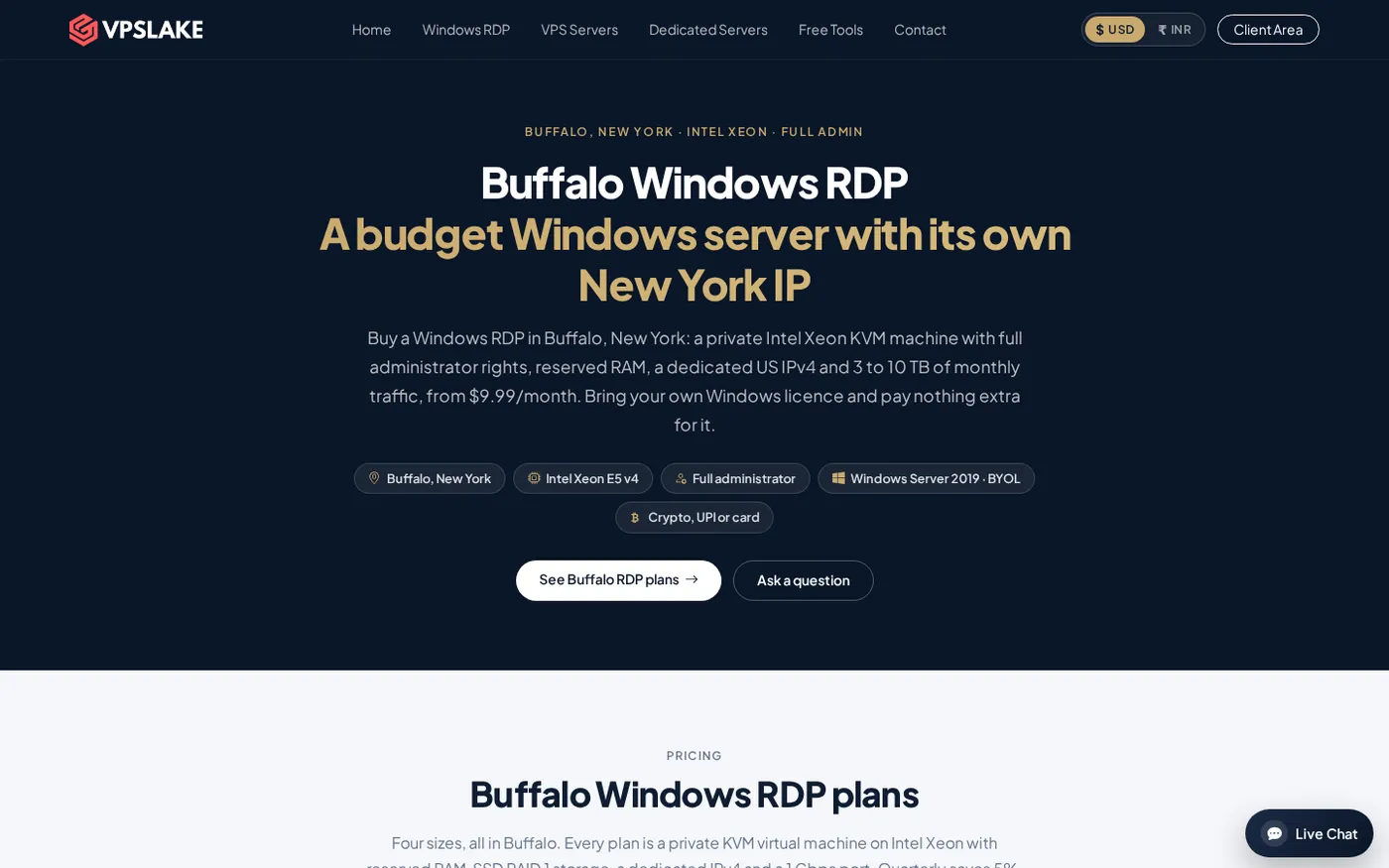
The Buffalo Windows RDP 8 GB plan is the practical starting point for a small QuickBooks team. It has 4 vCPUs, 8 GB of reserved RAM, 100 GB of SSD storage, a 300 Mbps port, a private KVM virtual machine, full Administrator access, and a dedicated US IPv4. You can select a Windows Server 2019 image, then install the QuickBooks release you already own. The plan is $16.99/mo, excluding your Windows and QuickBooks licenses.
Use an SSD for the company file, keep free disk space for updates and temporary files, and measure CPU and memory usage after the first few days.
Step 1: Confirm the software and data you will move
Why: A clean inventory prevents a licensing or compatibility problem from appearing after the company file is already on the VPS.
Write down your QuickBooks edition, release year, product number, license number, user count, payroll status, and connected applications. In QuickBooks, press F2 to open Product Information. Make a fresh local backup of each company file.
Success looks like a migration checklist with the installer location, license information, user list, and a recoverable backup. Intuit’s license and product information guide explains where to find these details.
Step 2: Order the Windows VPS and choose the image
Why: The operating system choice affects compatibility, security updates, and how easily you can support the installation later.
Order the Buffalo Windows RDP 8 GB plan and choose the Windows Server 2019 image if it matches your QuickBooks release. VPSLake’s Windows offer is BYOL: the image is supplied, but the Windows license is yours to provide, with no Windows license surcharge. After payment, the server setup is automatic and the credentials appear in the client area.
Check RAM, storage, CPU, traffic allowance, port speed, administrator access, and whether the provider gives you a private VM. For first-login basics, use this Windows VPS setup walkthrough.
Success looks like a reachable Windows Server desktop, a changed Administrator password, and a confirmed restore point or backup plan before business data is uploaded.
Step 3: Install QuickBooks and place the company file
Why: Installing the application and data on the same remote machine keeps the working session close to the file and avoids opening the file from an unstable home connection.
From the VPS desktop, download QuickBooks from your Intuit account or another trusted installation source. Run the installer, enter your product and license numbers, and select the appropriate installation mode. Install the QuickBooks Database Server Manager only if your edition and multi-user arrangement require it.
For a first test, copy a backup to a temporary VPS folder, restore it as a test company, and open it. Do not overwrite the live file until the test works. For multiple users, set up multi-user mode and separate Windows accounts instead of sharing Administrator.
Success looks like QuickBooks opens without an activation error, the test file passes a basic review, and each approved user can sign in. Intuit’s current user-license guidance explains user limits and additional licenses.
Step 4: Connect from your computers and test peripherals
Why: Remote access is only useful if the session, keyboard, display, printing, and file exchange work for your actual workflow.
On Windows, press Win+R, type mstsc, and enter the VPS IP address. In Remote Desktop Connection, open Show Options, enter the user name, and review Local Resources. Enable only the devices you need, such as a printer or specific drive. Connect, open QuickBooks, and test a report, invoice preview, and print job.
On macOS, Linux, Android, or iOS, install Microsoft’s current Remote Desktop client for that platform and use the same server address and credentials. Keep file redirection limited.
Success looks like a normal workday test: sign in, open the file, run a report, export what you need, print a sample page if required, and disconnect cleanly.
Step 5: Back up, secure, and document the setup
Why: Remote access does not replace a backup plan, and a single VPS should not be the only copy of accounting data.
In QuickBooks, configure a recurring backup to a separate location and keep dated copies outside the VPS. Periodically download a copy, restore it in a test folder, and confirm that it opens.
For Windows, use a strong unique Administrator password, create named accounts, install updates during a planned maintenance window, and restrict RDP access to approved people. Keep client-area credentials separate.
For RDP clipboard or drive-redirection issues, this RDP copy-and-paste troubleshooting article covers common checks.
Cost: hosted per-user service or your own RDP?
Managed QuickBooks hosting can suit you when the provider must handle installation, application support, backups, and user onboarding. Check which QuickBooks licenses and add-ons are included in the quote.
Your own VPS is easier to compare when you already have a valid license and need a small, private Windows workspace. The Buffalo 8 GB plan is $16.99/mo, with reserved RAM, full Administrator access, and a dedicated US IPv4. It may cost less than a per-user quote for a small team, but include QuickBooks licenses, Windows licensing, backup storage, add-ons, and administration time.
Choose managed hosting for a vendor-owned QuickBooks service boundary. Choose a private VPS when control, a fixed server fee, and direct Windows access matter more.
FAQ
Can I run QuickBooks Desktop on a VPS?
Yes, QuickBooks Desktop can run on a compatible remote Windows machine, but verify the requirements for your release and keep a valid QuickBooks license. Intuit lists supported 64-bit Windows versions and server RAM targets.
Is a Windows VPS the same as QuickBooks hosting?
No. A Windows VPS provides the remote operating system and resources. QuickBooks hosting may also include application installation, licensing coordination, backups, user administration, and support from an authorized host.
How much RAM does QuickBooks need for five users?
Intuit lists 8 GB of server RAM for one to five users for QuickBooks Desktop 2024. Choose more if you will run Office, payroll, browser tabs, large files, or other applications in the same Windows environment.
Can multiple people use QuickBooks Desktop through one RDP server?
They can use a shared server only when the QuickBooks edition and license support the required users and the Windows access arrangement is configured correctly. Create separate accounts, test multi-user mode, and confirm any Remote Desktop Services licensing requirements before going live.
Should I use QuickBooks Online instead?
QuickBooks Online is a different product with browser-based access and its own feature and subscription model. Compare features, integrations, and licensing before migrating.