

The best RDP for Ghana is a private Windows virtual machine with full Administrator access, a predictable US location, and a payment method that works for you. For most buyers, VPSLake’s Buffalo Windows RDP is the strongest fit because the 4 GB plan starts at $9.99/mo, includes a dedicated US IPv4, and accepts crypto, UPI, and cards.
What Ghana buyers should check first
An RDP is a remote Windows computer that you control from your laptop, phone, or another desktop. Your local device runs the RDP client; the applications and files run on the remote machine. Microsoft’s Remote Desktop documentation explains the same connection model for a remote PC.
Before you pay, check these points:
- Server location: A Buffalo, New York RDP gives you a US IP, not a Ghana IP. That suits buyers who need a US-based workspace, a US data-center route, or a machine that stays online while their local connection changes. It is not the right product if your application specifically requires a Ghana-located IP.
- Private or shared: A private KVM VM gives you reserved resources and a separate operating system. A shared, resold RDP may place several unrelated customers on the same Windows installation or IP.
- Access level: Full Administrator access lets you install permitted software, configure Windows, and manage your own accounts. “RDP access” without an access-level explanation is not enough.
- Windows licensing: Confirm whether the provider includes a license or expects you to bring one. VPSLake supplies the Windows image, but Windows is BYOL: you bring your own Windows license and there is no license surcharge.
- Payment and support: Look for the payment rail you can actually use from Ghana, a client area for reboot and reinstall actions, and a documented support channel.
If you are still comparing locations, our USA RDP buying guide explains what a US RDP is useful for and which location questions to ask.
Best RDP options for Ghana
Here is the short comparison. Prices below are monthly USD prices and should be compared only after checking whether a Windows license is included elsewhere.
| Option | What you get | Best for | Verdict |
|---|---|---|---|
| VPSLake Buffalo Windows RDP | Private KVM VM, reserved RAM, full Administrator, dedicated US IPv4, crypto/card/UPI payments | Most Ghana buyers who want a private US Windows desktop | Best overall |
| Private Windows VPS from another provider | A separate Windows VM with administrator control; features and licensing vary | Buyers who already have a preferred provider or special location requirement | Check the IP, license, and resource policy carefully |
| Shared or resold RDP | A lower-cost remote login whose underlying resources and IP ownership may be unclear | A short test when the seller can clearly document the service | Avoid paying until isolation, access, and replacement policy are clear |
1. VPSLake Buffalo Windows RDP: best overall
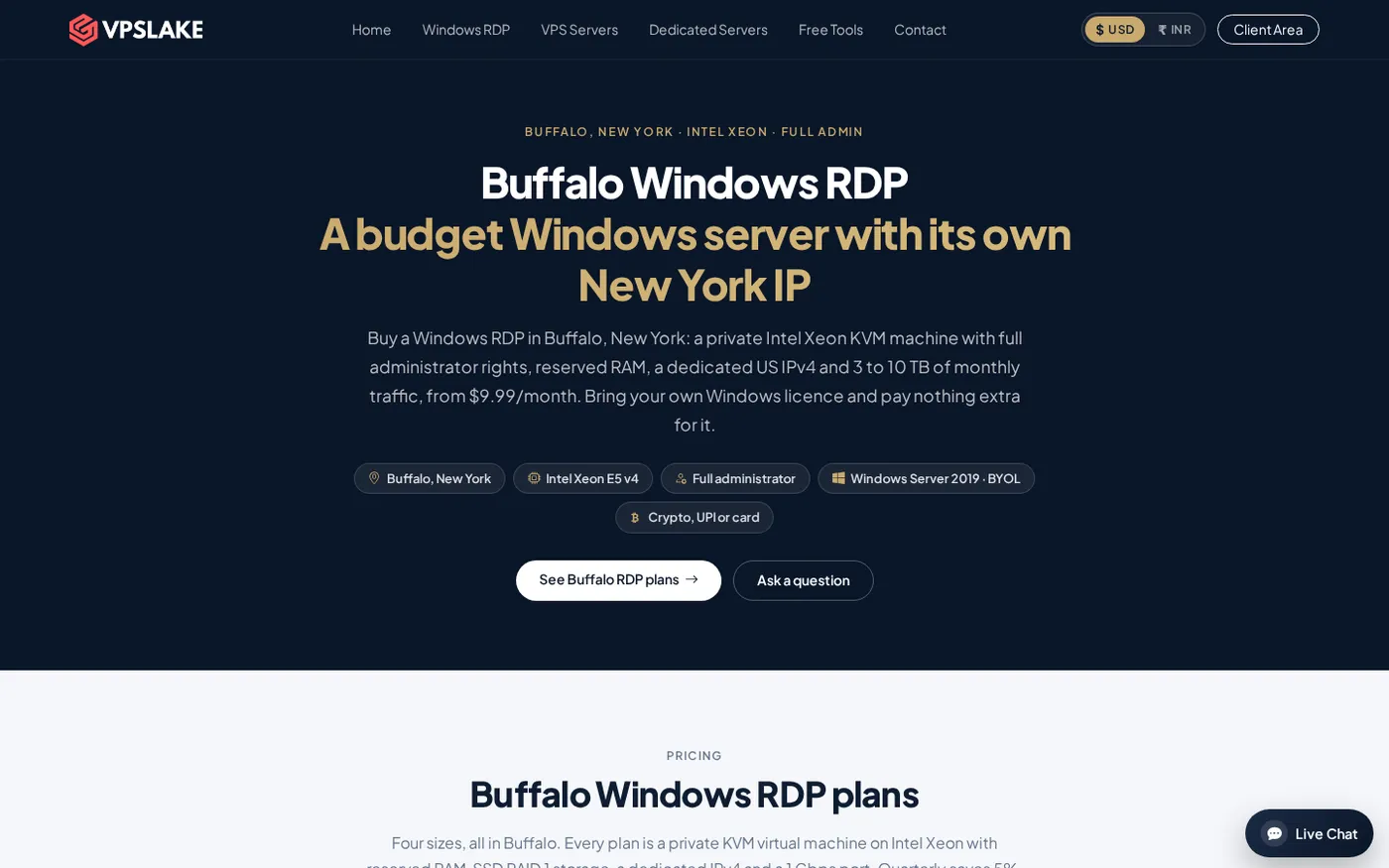
The Buffalo plan is a private KVM virtual machine in Buffalo, New York, with reserved RAM, a dedicated US IPv4, and full Administrator access. You can select a Windows Server 2019, Windows 10 Pro, or Windows 11 Pro image on the order form. Bring your own Windows license; the plan does not add a Windows license surcharge.
The 4 GB plan is the sensible starting point for one browser profile, MT4 or MT5 work, a rater workflow, or one Google Ads account. It provides 3 vCPU, 60 GB SSD storage, 3 TB traffic, and a 200 Mbps port for $9.99/mo. If you need more room, the same Buffalo Windows RDP range includes:
| Plan | Resources | Monthly price |
|---|---|---|
| Basic KVM 4 | 3 vCPU, 4 GB RAM, 60 GB SSD, 3 TB traffic | $9.99/mo |
| Basic KVM 8 | 4 vCPU, 8 GB RAM, 100 GB SSD, 5 TB traffic | $16.99/mo |
| Basic KVM 16 | 6 vCPU, 16 GB RAM, 200 GB SSD, 8 TB traffic | $29.99/mo |
| Basic KVM 32 | 8 vCPU, 32 GB RAM, 300 GB SSD, 10 TB traffic | $54.99/mo |
The 8 GB size is a better match for several browser profiles or several MT4 terminals. The 16 GB and 32 GB sizes are for heavier multi-profile or team workloads. Port speeds scale by plan, so do not assume that every size has the 1 Gbps port shown on the largest plan.
After payment, setup is automatic. The client area provides browser console, reinstall, reboot, and password-reset actions. That is useful if you are operating from Ghana and do not want every basic server action to depend on a support ticket.
For current product details and order choices, see Buffalo Windows RDP.
2. A private Windows VPS from another provider
A private Windows VPS can suit a buyer with a special location or operating-system requirement. Compare like with like: a headline price may exclude the Windows license, public IPv4, backups, or enough RAM for your workload.
Ask these questions before choosing one:
- Is the machine a private VM, and is the IPv4 dedicated to you?
- Is Windows licensed, or do you bring your own license?
- How much RAM is reserved, and what happens at the traffic allowance?
- Can you reboot, reinstall, and reach support without a reseller?
For a normal US Windows desktop from Ghana, a clearly priced private Buffalo plan is easier to evaluate.
3. Shared or resold RDP: the option to scrutinize
Shared RDP listings can look cheap, but the seller may not explain whether the host, IP, storage, or Windows session is shared. Another customer’s activity can consume resources, and you may not have permission to install needed software or use a console for recovery.
If you investigate one, get written answers to the checks above and confirm the service, billing period, support identity, and refund terms before sending crypto. For business work, trading software, or account administration, private resources and a dedicated IP are easier to manage.
How to pay for an RDP from Ghana
VPSLake supports crypto through Cryptomus, UPI and cards through its checkout partners, plus international cards through Paddle. Review the final invoice and payment currency before submitting it.
If you pay with USDT, use the exact blockchain network displayed by the payment page. Tether lists USDT across multiple supported protocols, including TRC20 on Tron and tokens on BNB Smart Chain, so a wallet network and a checkout network must match. A transfer sent on the wrong network may not be credited automatically. Read Tether’s supported protocols and follow the payment page rather than guessing from a network name.
Use this payment checklist:
- Open the official VPSLake checkout or the crypto payment page, then confirm the Buffalo location, plan, Windows image, billing cycle, and BYOL requirement.
- If using USDT, copy the address and select only the network shown at checkout. Check the first and last characters before sending.
- Save the payment receipt and order number, then connect with the supplied IP, username, and password. Keep those credentials private.
Why private admin access matters
Full Administrator access lets you install approved applications, create a separate Windows user, and manage the desktop yourself. For a plain-language explanation, see what full Administrator access means on an RDP.
Change the initial password, use a strong unique credential, and keep remote access limited to the people who need it. Microsoft recommends strong, unique passwords for accounts with remote access and explains why Network Level Authentication should remain enabled when possible in its Remote Desktop security guidance.
Also remember that an RDP is a remote computer, not an anonymity service. A US IP can help you work with a US-based environment, but it does not guarantee approval for an advertising account, remove a platform’s checks, or make activity compliant with a site’s rules.
Setup checklist after your order is ready
Use this short checklist for the first session:
- Connect with the Windows App or Remote Desktop client using the supplied IP and credentials. Microsoft’s client guide covers adding a remote PC.
- Check the Windows image, RAM, storage, and IP location against the order.
- Change the administrator password, create a separate daily-use account if appropriate, and install only applications from official sources.
- Turn on required updates, review Defender and firewall settings, and test your key websites and applications.
- Save the client-area URL and confirm that you can find the console, reboot, reinstall, and password-reset controls.
If a connection fails, verify the IP, username, password, local connection, and provisioning status, then use the client-area reset option or open a ticket.
How to choose the right size
Start with the workload, not the country name. One light browser profile may be comfortable with 4 GB; several profiles, terminals, or larger applications need more memory.
The practical decision is:
- One profile or light desktop work: 4 GB at $9.99/mo.
- Several profiles or terminals: 8 GB at $16.99/mo.
- Heavier automation or many concurrent applications: 16 GB at $29.99/mo.
- Team or high-memory workload: 32 GB at $54.99/mo.
Choose Windows 10 Pro or Windows 11 Pro when you want a familiar desktop interface. Choose Windows Server 2019 when your software is designed for a server environment. The image choice is separate from the RDP connection itself, so check application compatibility before ordering.
FAQ
What is the best RDP for Ghana?
For most buyers, a private Buffalo Windows RDP is the best fit when a US IP, full Administrator access, and crypto or card payment are the priorities. VPSLake’s 4 GB Buffalo plan is $9.99/mo, with larger sizes available for multi-profile workloads.
Can I buy RDP in Ghana with USDT?
Yes, VPSLake accepts crypto through Cryptomus. Select the exact USDT network shown at checkout, confirm the address, and keep the transaction receipt; do not assume that every network supported by a wallet is accepted for the order.
Does this RDP give me a Ghana IP?
No. The Buffalo plan provides a dedicated US IPv4. It is intended for buyers who need a US-based remote Windows environment, not a Ghana-located IP.
Is Windows included with the VPSLake RDP plan?
VPSLake supplies the Windows image, but Windows licensing is BYOL. You bring your own Windows license, and there is no license surcharge on the plan.
How much RAM do I need for an RDP?
Use 4 GB for one light profile or desktop workload, 8 GB for several profiles or terminals, and 16 GB or 32 GB for heavier multi-application or team use. Start with the smallest size that matches your workload and scale when your usage requires it.
DONE best-rdp-ghana words=1784