
A dedicated server in usa is only a good choice if its city matches your users, applications, and support needs. For a broad US audience, start with Dallas; choose Los Angeles when Asia-Pacific traffic matters most, and Miami when Florida, the Caribbean, or Latin America is your main market.
Why the city matters
The server city affects the network path between your machine and the people or services that use it. Shorter, cleaner paths usually make interactive applications feel more responsive, but geography alone does not guarantee the lowest round-trip time. Internet routing, transit providers, congestion, and the location of databases or APIs also matter.
Think about the traffic that matters most before looking at a plan:
- User traffic: website visitors, players, remote workers, or customers connecting to the server.
- Application traffic: databases, queues, storage, payment gateways, and third-party APIs.
- Operations traffic: your own administration, backups, monitoring, and recovery systems.
For a globally distributed audience, one physical server will always involve a compromise. The right city is the one that gives the most important traffic a consistently good path. The Submarine Cable Map is useful context for understanding why coastal gateways and transoceanic routes can influence international connectivity.
Do not select a city from one ping test taken on your office connection. The IETF’s network-quality report describes round-trip time as a measurement of the network path. Congestion and route changes can affect observed delay, so test from representative customer networks and compare several samples rather than relying on one number.
| Your audience or workload | Best starting city | Why |
|---|---|---|
| Users spread across the United States | Dallas | Central position gives you a balanced starting point for nationwide traffic. |
| West Coast users or Asia-Pacific visitors | Los Angeles | Pacific-facing connectivity is a sensible priority for traffic crossing the Pacific. |
| Florida, Caribbean, or Latin American users | Miami | The southeast location is a practical starting point for those routes. |
| A database serving an application elsewhere | Near the application | Keep tightly coupled systems close, even if users are in another region. |
These are decision rules, not latency guarantees. Test the actual provider network and your actual application before moving a critical workload.
Dallas: the balanced US choice
Choose Dallas when your customers are distributed across the US and you do not have one dominant coast. Its central-southern position makes it a practical compromise between eastern and western users, and it is a strong default for applications that need to serve several US regions from one machine.
Dallas is a good fit for:
- nationwide websites and business applications;
- APIs serving customers in multiple US time zones;
- databases or internal tools used by teams in different states;
- game communities whose players are spread across the country;
- a first dedicated server when you do not yet have enough traffic data to justify a more regional choice.
The important qualification is that “central” does not mean “closest to everyone.” A user in Southern California can still have a better route to Los Angeles, while a user in South Florida may be better served by Miami. If your analytics show a roughly even US audience, Dallas is the simplest starting point.
Los Angeles: West Coast and Asia-Pacific traffic
Los Angeles is the natural candidate when most users are in California, the Pacific Northwest, or countries reached through Pacific routes. It can reduce the distance to West Coast users and gives Asia-Pacific traffic a US entry point on the Pacific side.
Select Los Angeles when you are building for:
- a US West Coast customer base;
- visitors from Japan, South Korea, Southeast Asia, Australia, or other Asia-Pacific markets;
- a media, API, or application tier that already communicates with systems on the West Coast;
- a game community concentrated in western states or Pacific-facing regions.
Los Angeles is not automatically better for every international visitor. Users in Europe, the Middle East, or the eastern United States may take a longer path to the West Coast. Check where your origin database, storage, payment provider, and monitoring service run before splitting tightly coupled systems across the country.
Miami: Florida, the Caribbean, and Latin America
Miami is the strongest starting point when your users are concentrated in Florida, the Caribbean, Mexico, Central America, or South America. Its position in the southeast makes it a practical gateway for traffic that reaches the US through those regions.
Miami works well for:
- customer portals serving Florida and nearby states;
- applications with a large Caribbean or Latin American audience;
- regional game communities in the southeast;
- workloads that exchange data with services or teams in those markets.
It may be less suitable for a mostly West Coast audience or for a national US application whose users are evenly distributed. In those cases, compare Miami against Dallas with real route measurements. Your provider’s upstream network can matter as much as the city label.
For Latin American traffic, test the full transaction: DNS lookup, TLS connection, application request, database work, and response. A raw ICMP ping may not follow the same path as your application.
Hardware options for a US dedicated server
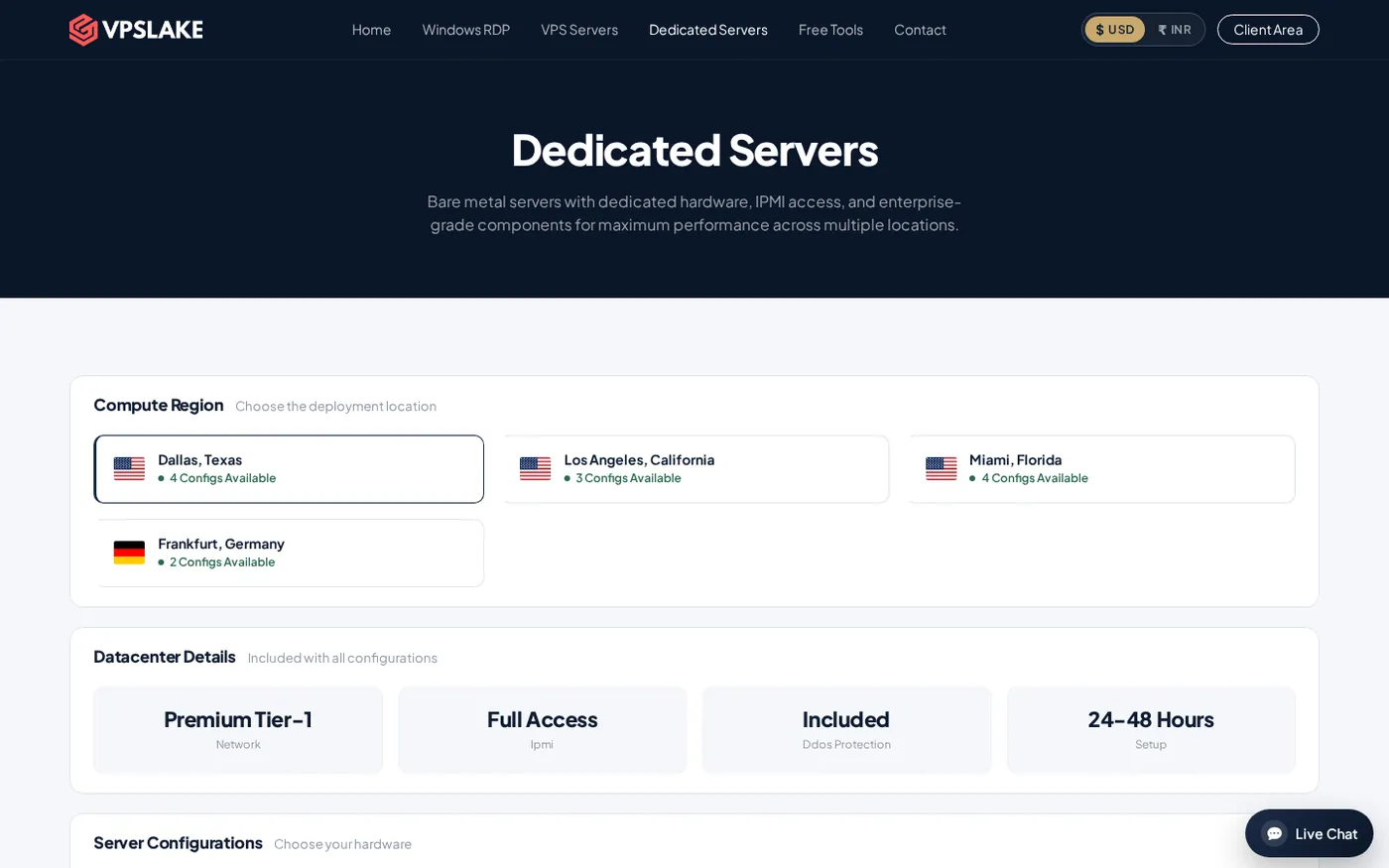
After narrowing down the city, choose hardware based on concurrency, storage, and network transfer. VPSLake’s dedicated lineup includes IPMI access, DDoS protection, a premium Tier-1 network, and a stated 24–48 hour setup window. The configurations below are the published monthly USD prices; confirm the exact city and availability when you order.
| Plan | CPU and memory | Storage | Included transfer and port | Price |
|---|---|---|---|---|
| DS-2 | AMD Ryzen 7 5800X, 8C/16T, 64 GB DDR4 | 1 TB NVMe | 50 TB on 10 Gbps | $64.99/mo |
| DS-1 | AMD Ryzen 5 3600, 6C/12T, 32 GB DDR4 | 500 GB NVMe | 30 TB on 1 Gbps | $34.99/mo |
| DS-3 | AMD Ryzen 9 5950X, 16C/32T, 128 GB DDR4 | 2 × 1 TB NVMe | 100 TB on 10 Gbps | $99.99/mo |
| DS-4 | AMD EPYC 7443P, 24C/48T, 128 GB DDR4 ECC | 2 × 1 TB NVMe | 100 TB on 10 Gbps | $129.99/mo |
DS-2 is the practical middle option for a database-backed application, a busy website, several virtual machines, or a larger game network. DS-1 suits a first bare-metal deployment with moderate resource needs. DS-3 and DS-4 are better when you need more CPU threads, memory, storage redundancy, or ECC memory for a virtualization-heavy workload.
If you are still deciding between a VPS and bare metal, compare isolation, management responsibility, and expected utilization. The existing guide on shared hosting vs. VPS vs. dedicated server explains the infrastructure trade-off. For a game workload, the game server provider checklist is a useful companion before you select a city.
How to choose your city before ordering
Use this short process when two or more cities look reasonable:
- Map your audience. Use analytics, support data, player locations, or customer addresses to find the regions that matter most.
- List every important dependency. Include databases, storage, APIs, authentication, backups, and monitoring—not only end users.
- Pick a starting city. Use Dallas for a broad US audience, Los Angeles for West Coast or Asia-Pacific traffic, and Miami for southeast, Caribbean, or Latin American traffic.
- Test representative routes. Run repeated tests from relevant networks and compare round-trip time, jitter, packet loss, and route stability.
- Check the workload against hardware. Verify RAM, CPU threads, NVMe capacity, transfer allowance, and port speed.
- Confirm city and configuration with sales. Dedicated servers are ordered through WhatsApp from the VPSLake dedicated-server page, not through the normal VPS checkout.
Write down the reason for your choice, such as “Dallas because most users and the database are in the US.” This makes it easier to revisit the decision when your audience changes.
How to order from VPSLake
Open the dedicated-server page, choose the city you want to discuss, and send the sales team your preferred configuration through WhatsApp. Include your workload, expected traffic, required operating system, storage needs, and any important data-location requirement.
VPSLake lists a 24–48 hour setup window for dedicated servers. Every listed configuration includes full IPMI access for out-of-band management, DDoS protection, and a premium Tier-1 network. Ask sales to confirm the exact city, DS plan, recurring price, and setup timing before you pay, because hardware availability can differ by location.
Once the server is ready, verify the hardware and network, test routes from your main user regions, configure separate backups, and monitor latency, packet loss, disk space, and resource usage during peak hours.
Confirm IPMI access and remote recovery before deploying production data.
FAQ
Which US city is best for a dedicated server?
There is no universal best city. Dallas is the best starting point for a broad US audience, Los Angeles for West Coast or Asia-Pacific traffic, and Miami for Florida, Caribbean, or Latin American traffic.
Is Dallas better than Los Angeles for a nationwide audience?
Usually, Dallas is the more balanced starting point when users are distributed across the United States. Confirm the decision with route tests from your real customer networks, because routing and application dependencies can change the result.
Is Miami good for Latin American users?
Miami is a practical starting point for Caribbean and Latin American traffic because of its southeast position. Test the complete application path, not only a single ping, before putting a latency-sensitive service into production.
How long does a VPSLake dedicated server take to set up?
VPSLake lists a 24–48 hour setup window. Dedicated servers are ordered through WhatsApp from the dedicated-server page, where sales can confirm the city, plan, price, and current availability.
Which dedicated server plan should I choose?
DS-1 is the entry configuration, while DS-2 provides 64 GB of RAM, an AMD Ryzen 7 5800X, 1 TB NVMe, 50 TB transfer, and a 10 Gbps port for $64.99/mo. Choose DS-3 or DS-4 when you need more CPU threads, memory, storage, or ECC memory.