

RDP price in India depends less on the word “RDP” and more on what is actually reserved for you: RAM, CPU, administrator access, Windows licensing, storage, traffic and IP location. For a private Windows VM with predictable resources, a realistic starting point is around ₹950 per month, while ultra-cheap listings often require a closer look at what is shared or excluded.
Typical RDP price ranges in India
Use the price bands below as a screening tool, not a substitute for checking the specification. A ₹99 or ₹299 offer may be shared, promotional, low-resource or unclear about renewal and Windows licensing. A higher price is not automatically better: you should be able to explain what the extra money buys.
| RDP type | Typical monthly band | What you should expect |
|---|---|---|
| Very low-cost shared RDP | ₹100–₹500 | Shared sessions or tightly limited resources; check user limits and administrator access |
| Entry private Windows VPS/RDP | ₹500–₹1,100 | About 4 GB RAM, a dedicated IPv4, private VM and administrator access |
| Multi-profile or multi-terminal RDP | ₹1,000–₹2,000 | About 8 GB RAM, more CPU headroom and more storage or traffic |
| Heavy desktop workload | ₹2,000–₹5,500+ | 16–32 GB RAM, more vCPU, higher port capacity and room for several workloads |
VPSLake’s current Windows RDP plans are hosted in Buffalo, New York, and are priced in USD with INR checkout values. That gives you a US IP address, not an India-based IP, while still allowing you to pay from India through supported local payment methods.
VPSLake RDP prices at a glance
The table uses the current Buffalo Windows RDP plans. INR figures are listed checkout values; the final invoice can vary slightly. Each row is a private KVM VM with reserved RAM, Full Administrator access and one dedicated US IPv4.
| Plan | Monthly price | INR shown at checkout | Resources | Suitable for |
|---|---|---|---|---|
| Buffalo Windows RDP 4 GB | $9.99/mo | ₹949.63/mo | 3 vCPU, 60 GB SSD, 3 TB traffic, 200 Mbps port | One browser profile, one MT4/MT5 EA, rater work or one Google Ads account |
| Buffalo Windows RDP 8 GB | $16.99/mo | ₹1,615.03/mo | 4 vCPU, 100 GB SSD, 5 TB traffic, 300 Mbps port | Several browser profiles or MT4/MT5 terminals |
| Buffalo Windows RDP 16 GB | $29.99/mo | ₹2,850.78/mo | 6 vCPU, 200 GB SSD, 8 TB traffic, 500 Mbps port | Many profiles, automation or heavier desktop workloads |
| Buffalo Windows RDP 32 GB | $54.99/mo | ₹5,227.23/mo | 8 vCPU, 300 GB SSD, 10 TB traffic, 1 Gbps port | Teams and workloads needing substantial RAM |
The 4 GB plan works out to about $2.50 per GB of reserved RAM per month. The 8 GB plan is about $2.12 per GB, the 16 GB plan about $1.87, and the 32 GB plan about $1.72. Also compare CPU, storage, traffic, IP, isolation and licensing.
What drives the cost of an RDP plan?
RAM and CPU
Windows uses memory before you open your own applications. A single browser profile or light terminal can fit in 4 GB, but several profiles, terminals or automation tools need more headroom. Count concurrent applications and leave capacity for Windows and background services.
CPU matters when applications perform calculations, load pages, compress files or run several processes at once. More vCPU is useful, but a large vCPU number cannot compensate for too little RAM.
Private versus shared access
With a shared RDP, several customers may log in to the same Windows installation or share the same constrained pool. A private VM gives you a defined environment, and a KVM layer provides stronger separation from other virtual machines on the host.
Ask these questions before paying:
- Is the RAM reserved or oversold?
- Is the VM private, or do several customers use the same Windows session?
- Do you receive Full Administrator access?
- Is one dedicated public IPv4 included?
If the seller cannot answer clearly, the advertised price is not comparable with a private admin RDP.
Windows licensing
Windows is often the largest hidden difference between two apparently similar offers. Some plans include a licence in the listed price; others add a Windows fee at checkout; some use a bring-your-own-licence model.
VPSLake supplies the Windows Server 2019, Windows 10 Pro or Windows 11 Pro image, but you bring your own Windows licence. There is no Windows licence surcharge in the listed plan price. This is why the monthly hosting price should not be compared with an offer that bundles a different licence model without stating the terms.
Microsoft’s licensing guidance explains that Windows Server use in virtual environments depends on the applicable licensing model, virtual cores and access rights. Check the licence terms that apply to your own Windows edition and use case before deploying it on any hosted VM. Read Microsoft’s server virtualisation licensing guidance.
Location and network allowance
An India buyer may mean one of two things by “RDP in India”: paying in rupees, or receiving an Indian IP and Indian network location. Those are different requirements. Confirm the server country, IP type and expected latency before ordering.
Buffalo plans include 1–10 TB of traffic depending on the plan. The port is plan-specific: 200 Mbps on the 4 GB plan, 300 Mbps on the 8 GB plan, 500 Mbps on the 16 GB plan and 1 Gbps on the 32 GB plan. After the traffic allowance, the port is throttled rather than billed as overage, so do not treat every plan as an unmetered connection.
Hidden costs that change the RDP price
Introductory pricing and renewals
Check whether the first month is discounted and whether renewal returns to a higher standard price. Compare the normal monthly rate, not the promotional first payment. VPSLake lists quarterly billing at 5% savings and yearly billing as two months free.
Windows licence and activation terms
“Windows included” does not mean the same thing across providers. Ask who supplies the licence, which image is available and whether the plan is for a server or desktop edition. Never use an unlicensed image simply to lower the advertised price.
Taxes, currency conversion and payment fees
An INR price shown on a page may be a conversion from USD, while your invoice may use a slightly different rate. Review the final amount, billing period and payment method before confirming the transaction, and make sure your banking app shows the same merchant and amount.
Paying the RDP price in India with UPI
UPI is an instant payment system developed by the National Payments Corporation of India. For an overseas-hosted RDP, the important checks are whether the seller supports UPI, whether the amount is shown clearly in INR and whether the final order confirms the plan and server location.
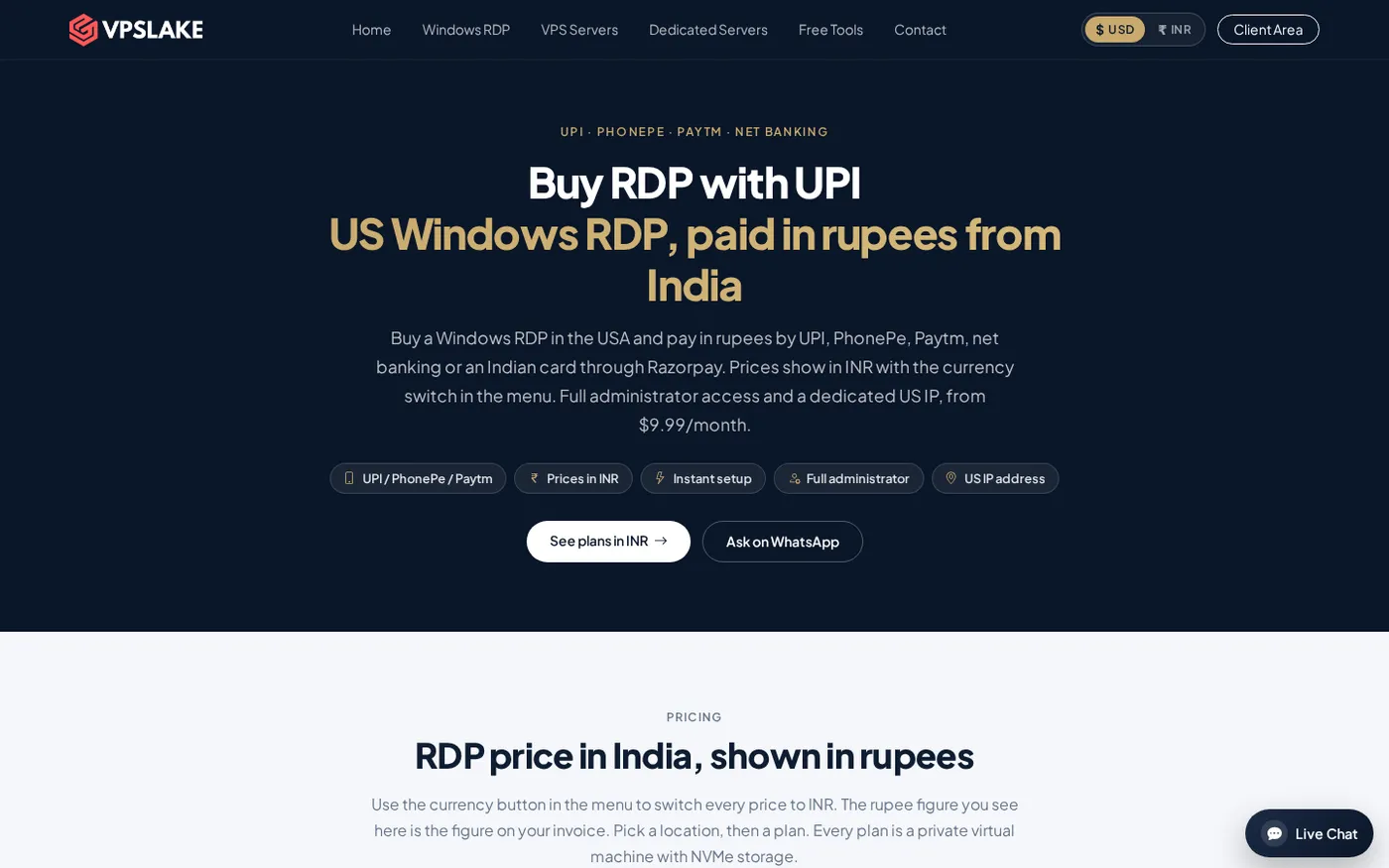
VPSLake accepts UPI and Indian card payments through the flow shown on its buy RDP with UPI page. The page shows the currency switch and available local payment options.
Use this payment checklist:
- Select the plan and confirm the Buffalo, New York location.
- Switch to INR and note the displayed amount.
- Confirm whether the billing period is monthly, quarterly or yearly.
- Check the Windows image and remember that you bring your own Windows licence.
- Verify the final amount in the payment screen and save the invoice.
See NPCI’s UPI FAQ for general payment questions; plan, licence and refund terms come from the provider.
How to choose the right plan for your workload
Start with the smallest plan that gives your main application room to run. Upgrade when the workload, not a round number, requires it.
- One light desktop, one browser profile or one MT4/MT5 EA: start by evaluating 4 GB RAM and 3 vCPU.
- Several browser profiles or terminals: 8 GB gives more working memory and storage headroom.
- Automation with several concurrent processes: compare 16 GB and the available CPU before focusing on price per GB.
- Team use or large multi-profile workloads: 32 GB is the relevant comparison point, including its 1 Gbps port.
For a more detailed RAM and CPU framework for trading terminals, see MT4 and MT5 VPS requirements. For a broader India-focused comparison of Windows and Linux options, see best cheap VPS providers for India.
The best-value RDP is the one that gives you a private environment, reserved RAM, a dedicated IP, the correct Windows licensing arrangement and a payment method you can verify. For an India-based buyer who wants a US Windows RDP and UPI payment, VPSLake’s Buffalo 4 GB plan is a clear starting point at $9.99/mo, with larger plans available when the workload needs them.
FAQ
What is a good RDP price in India?
A private Windows RDP with administrator access commonly needs a higher budget than a shared login. As a practical starting point, compare the full specification around ₹950 per month for 4 GB, then check RAM, CPU, licensing, storage, traffic, IP and location before deciding.
Is a ₹99 or ₹299 RDP safe to buy?
Price alone cannot establish safety or quality. At that level, verify whether the account is shared, whether administrator access is included, how much RAM is reserved, what the renewal price is and whether Windows licensing is clear.
Can I buy a US RDP from India with UPI?
Yes, if the provider supports UPI or an Indian payment gateway. VPSLake supports UPI and Indian card payments for its Buffalo, New York Windows RDP plans, so confirm the displayed INR amount and the final invoice before paying.
Does the RDP price include a Windows licence?
Not always. VPSLake uses a bring-your-own-licence model: it supplies the Windows Server 2019, Windows 10 Pro or Windows 11 Pro image, and the customer supplies the licence. Always read the provider’s licence terms instead of assuming the operating system is included.
Which RDP plan should I choose for MT4 or MT5?
One light terminal or EA may fit a 4 GB plan, while several terminals need more RAM and CPU headroom. Use the number of terminals, charts and other applications you will keep open at the same time to choose between 4 GB, 8 GB and 16 GB. Storage, traffic, port speed and permitted users can make a low monthly price unsuitable. A cheaper plan with 2 GB RAM, a shared session and a small traffic allowance may cost more in lost time than a private 4 GB plan.