


If you are searching for buyvm alternatives, the immediate problem is usually availability: BuyVM’s own KVM page currently does not present an orderable option. The best replacement is an orderable KVM VPS with enough RAM, storage, transfer, and a public IPv4 address for your actual workload—not just the lowest headline price.
Quick comparison
The table compares practical entry points, not identical plans. RackNerd’s price is annual, Hostinger’s is a 24-month promotion, and DigitalOcean and Akamai Cloud show monthly caps.
| Provider | Plan checked | RAM and disk | Transfer and port | Current price and availability |
|---|---|---|---|---|
| VPSLake Buffalo | Basic KVM 2 | 2 GB, 2 vCPU, 40 GB SSD RAID 1 | 2 TB, 200 Mbps | $5.99/mo; available now |
| RackNerd | 2 GB KVM special | 2 GB, 2 vCPU, 35 GB SSD | 5 TB, 1 Gbps | $35.99/year; orderable special |
| DigitalOcean | Basic 2 GB | 2 GB, 1 vCPU, 50 GB SSD | 2 TB; port speed not listed in the plan table | $12/mo; standard cloud plan |
| Akamai Cloud (Linode) | Nanode 1 GB | 1 GB, 1 vCPU, 25 GB SSD | 1 TB, up to 1 Gbps outbound | $5/mo; standard shared CPU plan |
| Hostinger | KVM 1 | 4 GB, 1 vCPU, 50 GB NVMe | 4 TB, 1 Gbps | $6.49/mo for 24 months; renews at $11.99/mo |
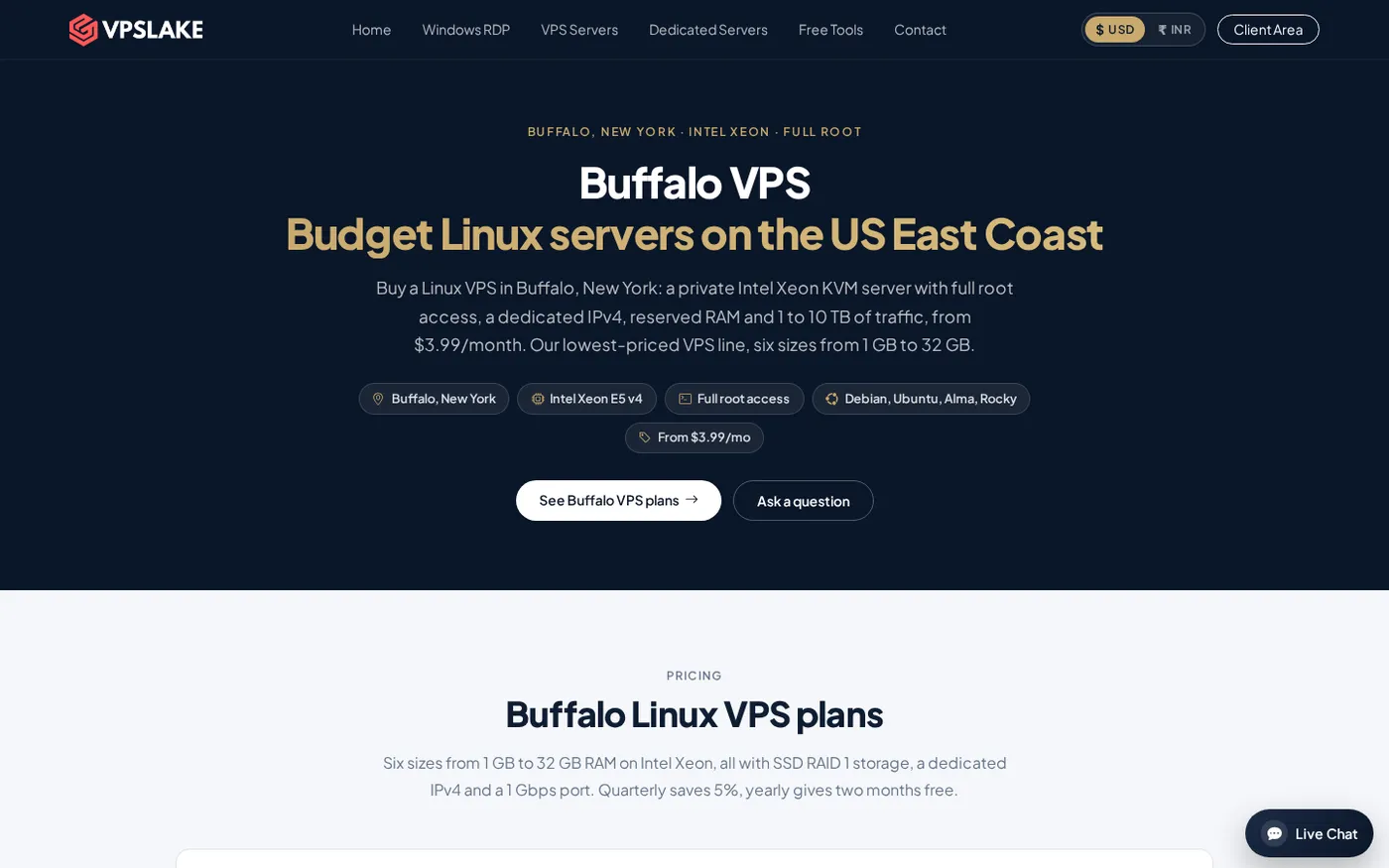
VPSLake is the strongest like-for-like choice if you want 2 GB of memory, two vCPUs, a dedicated IPv4, and a US East Coast location without long-term prepayment. It also includes full root access and KVM virtualization.
Why BuyVM is hard to buy
BuyVM is popular because its KVM slices combine small plans, SSD storage, a control panel, and optional storage. Its public page lists 512 MB, 1 GB, and 2 GB slices, but the ordering flow currently does not present a selectable location. That makes an orderable provider more useful than a theoretical price comparison.
Availability can differ by location and plan size. Treat availability as a checkout condition, not a permanent product feature.
What to look for in a replacement
Start with the resources your server cannot negotiate around:
- RAM: 1 GB suits a small web server or light bot; choose 2 GB for Docker, a database, or several services.
- CPU allocation: two vCPUs help concurrent jobs, but a vCPU is not automatically a dedicated physical core. Check whether resources are shared or reserved.
- Boot disk: compare usable SSD or NVMe capacity after accounting for the OS, logs, images, backups, and growth.
- Transfer and port: 1 Gbps is a peak link rate, not a monthly guarantee. Compare the transfer allowance and overage policy.
- Virtualization and control: KVM gives you a normal VM boundary and broad OS compatibility. See Ubuntu’s KVM documentation and the Linux kernel KVM documentation.
- IPv4 and operations: confirm a public IPv4, console access, reinstall, reboot, snapshots, and support.
VPSLake’s Buffalo Linux plans use KVM, reserved RAM, one dedicated IPv4, full root access, and SSD storage in RAID 1. The 2 GB plan is a good starting point for a small site, bot, automation service, or development box; you can move to a larger plan when the workload needs more memory.
1. VPSLake Buffalo Linux VPS — best overall replacement
VPSLake is the best BuyVM alternative in this list for someone who wants a small KVM server that is orderable now and billed monthly. The Buffalo 2 GB plan costs $5.99/mo and provides 2 vCPUs, 2 GB reserved RAM, 40 GB SSD storage in RAID 1, 2 TB of traffic, a 200 Mbps port, one dedicated IPv4, and full root access.
You can choose Debian 12, Ubuntu 24.04, AlmaLinux 9, or Rocky Linux 9. Buffalo is on the US East Coast, which suits US visitors and North American automation.
VPSLake supports crypto, UPI, and cards. Provisioning is automatic after payment, and the client area provides console, reinstall, reboot, and password-reset controls.
If 40 GB is too small, Buffalo also offers 4 GB/60 GB for $9.99/mo, 8 GB/100 GB for $16.99/mo, 16 GB/200 GB for $29.99/mo, and 32 GB/300 GB for $54.99/mo. Port limits vary by size, so choose for both memory and transfer needs.
For a broader provider checklist, see how to choose a VPS provider. If you want to compare the full Buffalo range, use the Buffalo Linux VPS pricing page.
2. RackNerd — best for a low annual special
RackNerd’s current 2 GB KVM special lists two vCPUs, 35 GB SSD, 5 TB transfer, a 1 Gbps port, one IPv4, and full root access for $35.99/year. It suits buyers comfortable with annual billing.
Verify renewal terms, location, backups, and acceptable-use rules before moving production workloads. It is a practical fallback when annual prepayment matters more than monthly flexibility.
3. DigitalOcean — best for a polished developer workflow
DigitalOcean’s Basic 2 GB Droplet is listed at $12/mo with 2 GB RAM, one vCPU, 50 GB SSD, and 2,000 GiB transfer. Its dashboard, snapshots, and APIs suit developers who create and destroy test servers regularly.
It costs more than VPSLake for the listed resources, and the pricing table does not state a port speed beside the plan row. Choose it for the workflow and ecosystem, not an assumed network allowance.
4. Akamai Cloud (Linode) — best for a conventional shared CPU plan
The Nanode 1 GB plan is listed at $5/mo with one vCPU, 1 GB RAM, 25 GB SSD, 1 TB transfer, and up to 1 Gbps outbound bandwidth. It fits a small Linux site, monitoring box, or lightweight service.
For a 2 GB workload, you need a larger plan. VPSLake is a better value for Docker, multiple services, or a database; Akamai Cloud remains useful if you already use its API and regions.
5. Hostinger KVM VPS — best for more RAM on a long term
Hostinger’s KVM 1 lists 4 GB RAM, one vCPU, 50 GB NVMe, 4 TB bandwidth, and 1 Gbps network speed at $6.49/mo when paid for 24 months. It renews at $11.99/mo for the same term.
That gives more memory and NVMe storage than VPSLake, but it is not month-to-month. Hostinger’s limits documentation says CPU credits affect sustained CPU use, so it better suits memory-heavy, low-to-medium CPU work.
Block storage and big disks: what to do instead
Do not replace a BuyVM slice with a small boot disk if you really need a large data volume. A 40 GB root disk may not cover media, build artifacts, databases, or backups.
There are three sensible paths:
- Choose a larger Buffalo plan for one VM with 100–300 GB of included SSD storage.
- Use block or object storage when data should grow independently of compute.
- Keep backups on a separate provider or storage target.
Before moving, measure disk usage, database size, daily change rate, and restore time. A larger disk does not replace a tested backup.
Switching from BuyVM to a new VPS
- Inventory the old server. Record the OS, users, services, firewall rules, cron jobs, ports, DNS, and mounted storage.
- Create the replacement. Select a nearby region, equal or larger RAM, a public IPv4, and a compatible Linux distribution.
- Copy data securely. Use SSH and checksum-verify the transfer. Review secrets and IP-dependent settings separately.
- Test before DNS. Check logins, jobs, mail, webhooks, and API allowlists on the new IP.
- Cut over carefully. Lower DNS TTL, switch the record, watch logs, and keep the old server until traffic is normal.
- Close the old service last. Save a final backup and confirm a restore before deleting anything.
For buyers in India comparing payment and location options, this cheap VPS providers comparison for India adds useful context.
FAQ
What is the best BuyVM alternative in 2026?
VPSLake’s Buffalo Linux VPS is the best overall pick because the 2 GB KVM plan is available now, billed monthly, and includes two vCPUs, 40 GB SSD, 2 TB traffic, and a dedicated IPv4 for $5.99/mo. Choose differently only if a specific country, long-term promotion, or larger cloud ecosystem matters more.
Why are people looking for BuyVM alternatives?
Availability is the main reason: BuyVM’s public KVM page currently does not present an orderable option. Other reasons include a different location, monthly billing, more RAM, or easier-to-scale storage.
Is a 2 GB VPS enough for Docker?
It can support a small Docker stack, depending on the images, database, logs, and jobs. Start with 2 GB for a light setup, monitor memory and swap, and move to 4 GB or 8 GB before processes run out of memory.
Is 1 Gbps better than 200 Mbps for a VPS?
Not automatically. A 1 Gbps port helps with bursts and large transfers, but transfer allowance, CPU, storage, routes, and throttling usually matter more for a small application.
Can I move a VPS without changing my applications?
Usually, yes, if you reproduce the OS, users, packages, environment variables, firewall rules, and data paths. Plan for a new IP, update DNS and allowlists, and test jobs and webhooks before switching traffic.
DONE buyvm-alternatives words=1450