


The best vps under $5 is not simply the plan with the smallest number on its pricing page. You need to check whether the price includes a public IPv4 address, how much RAM is actually reserved, what port speed and traffic allowance you receive, and whether the price depends on a long prepaid term.
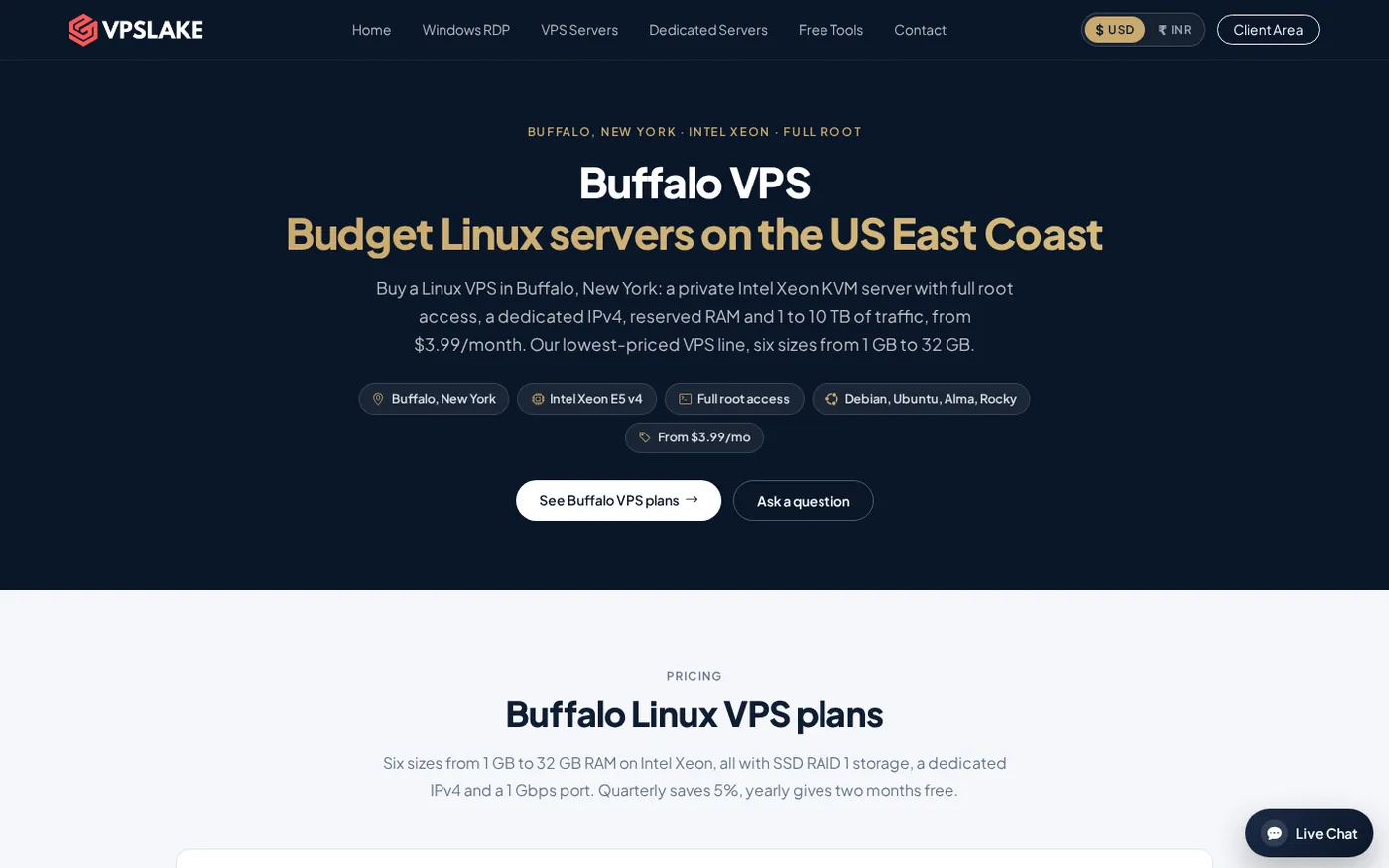
For a simple Linux server that you can use for a small bot, VPN, test box or lightweight website, VPSLake’s Buffalo Linux VPS 1 GB is the clearest fit: $3.99/mo with a dedicated IPv4, KVM virtualization, full root access and 1 TB traffic.
Quick comparison: what you get for under $5
The table below compares the practical choices you will usually see at this budget. The first row is the recommended plan because its advertised monthly price already includes the items many low-cost listings separate or leave unclear.
| Option | RAM and CPU | Public IPv4 | Storage and traffic | Billing check |
|---|---|---|---|---|
| VPSLake Buffalo Linux VPS 1 GB | 1 GB reserved RAM, 1 vCPU | Dedicated IPv4 included | 20 GB SSD RAID 1, 1 TB | $3.99/mo, monthly price |
| Hourly cloud instance | Varies by provider and region | May be included, optional or separately metered | Varies; transfer can be a separate line item | Calculate a full-month estimate |
| Promotional annual VPS | Often 1–4 GB advertised | Check the order summary | Storage and traffic vary | Confirm renewal price and term |
| IPv6-only budget VPS | Usually low-cost resources | No public IPv4 | Varies | Confirm that your software supports IPv6-only networking |
The dedicated IPv4 matters for SSH, DNS, API callbacks, VPN endpoints and websites reachable on IPv4. IANA records that its unallocated IPv4 supply is exhausted, so providers may price IPv4 separately. See the IANA allocation data before treating an IPv6-only price as equivalent.
Other under-$5 pricing models
An hourly cloud instance can be useful when you create and destroy servers frequently. For an always-on service, convert the hourly rate to a full-month estimate and include storage, public IPv4, traffic and snapshots. A low hourly compute number is not automatically a lower monthly total.
A promotional annual VPS can show more RAM or storage for the first term. It may be a good fit if you are comfortable paying upfront, but compare the renewal price and confirm the plan remains under your budget after the promotion ends. These offers are best treated as a different billing model, not as a like-for-like monthly plan.
What fits in a $5 VPS?
A 1 GB Linux VPS is a useful small server, but it is not a general-purpose machine for several heavy applications. It works best when you choose one main job and keep the operating system and services tidy.
Good fits include:
- A small Telegram or Discord bot with modest traffic.
- A WireGuard or similar VPN endpoint for personal use and your own devices.
- A test box for Linux packages, deployment scripts, cron jobs or API experiments.
- A lightweight static site, landing page or low-traffic application.
- A simple monitoring service, webhook receiver or automation worker.
- A small Docker service, provided you leave memory for the operating system and Docker overhead.
The Buffalo plan provides 1 vCPU, 1 GB reserved RAM, 20 GB SSD storage in RAID 1, 1 TB traffic and a 100 Mbps port. You can select Debian 12, Ubuntu 24.04, AlmaLinux 9 or Rocky Linux 9, and you receive full root access to a private KVM virtual machine.
Debian 12 remains a sensible low-memory choice because it has a broad package ecosystem and clear release documentation. If you choose it, use the official Debian 12 Bookworm release information as your reference for supported installation material.
For a small website, keep the stack modest. Do not assume that a $4 server has enough memory for multiple panels, a large database, several browsers or a busy game server.
Hidden costs that can break the $5 limit
Compare the amount due for the exact configuration you need, on the billing cycle you actually want to use.
IPv4
Some cloud platforms let you create an instance without public IPv4 and add an address separately. That can be perfectly valid for an IPv6-ready workload, but it is not the same product as a VPS with a dedicated IPv4 included. Check the order summary for both the server and the address.
Backups
Backups are often an optional service. If your project matters, budget for a backup plan or create your own off-server backups. A snapshot stored on the same provider is useful for quick recovery, but it should not be your only copy.
Taxes and payment fees
The price you see before checkout may not be the final total in your country. Payment processors, taxes and currency conversion can change the amount you pay. VPSLake supports crypto, UPI and cards; check the final invoice in your selected payment method before confirming.
Billing term and renewal
An annual promotion can make the first-month equivalent look cheaper than a month-to-month plan. That is only a fair comparison if you are comfortable prepaying and you have checked the renewal price. For a first server, monthly billing gives you a shorter commitment while you confirm that the location and configuration suit your workload.
Transfer and port speed
Traffic allowance and port speed are different. A plan may include a large transfer allowance but still have a modest port. VPSLake’s 1 GB Buffalo plan has 1 TB traffic on a 100 Mbps port; the 2 GB plan increases that to 2 TB and a 200 Mbps port.
VPSLake Buffalo 1 GB: the best monthly pick
VPSLake wins this budget because the $3.99/mo plan is a complete small Linux VPS rather than a headline price that requires you to reconstruct. It includes a dedicated IPv4, 1 GB of reserved RAM, full root access and KVM virtualization.
The hardware is an Intel Xeon E5-2699 v4 with 1 vCPU. Storage is 20 GB SSD in RAID 1, and the plan includes 1 TB traffic on a 100 Mbps port. The Buffalo, New York location is on the US East Coast, which makes it a practical choice for US-facing services and users in nearby regions.
You can deploy Debian 12, Ubuntu 24.04, AlmaLinux 9 or Rocky Linux 9 for SSH, system services, Docker, a small web stack or a personal VPN. The client area also provides reboot, reinstall and password reset controls.
Read the full Buffalo VPS plan details before ordering, including the current storage, traffic and port information.
When to step up to 2 GB
The 1 GB plan is a starting point, not a promise that every application will fit. Move to 2 GB when your service needs more memory for several processes, a database, a larger Docker stack or a busier bot.
VPSLake’s Buffalo Linux VPS 2 GB is $5.99/mo. It adds a second vCPU, 40 GB SSD storage, 2 TB traffic and a 200 Mbps port, while keeping full root access, KVM virtualization and a dedicated IPv4. It is above the strict $5 ceiling, but it is often cheaper than starting with 1 GB, configuring swap and then moving after memory pressure affects the application.
For Docker-specific sizing, the best cheap VPS for Docker article covers the memory tradeoffs in more detail.
The limits of a $4 server
Knowing what not to run is part of choosing a cheap VPS. A 1 GB machine has limited headroom after the kernel, SSH, firewall and monitoring are running.
Avoid treating it as a desktop replacement, multi-user browser workstation, large database server, high-traffic WordPress host or modded game server. You manage updates, SSH keys, firewall rules, application security and backups. Swap can absorb a short memory spike, but it is slower than RAM; keep logs and unused images under control.
How to choose a VPS under $5
Use this checklist before you compare any provider’s headline price:
- Define the workload. A bot, VPN, test box and website have different CPU, memory and transfer patterns.
- Confirm public IPv4. Decide whether your application needs IPv4 or can operate safely on IPv6 only.
- Check reserved versus shared RAM. The amount you can depend on matters more than a large burst figure.
- Read the port and transfer limits. Record both numbers; they describe different constraints.
- Check storage type and usable space. Leave room for updates, logs, databases and backups.
- Compare the actual billing cycle. Include the renewal price, taxes and any add-ons.
- Check the location. Pick a region close to your users or the service your VPS must reach.
- Confirm administrative access. Full root and KVM are valuable when you need to reinstall or troubleshoot the machine.
- Plan security from day one. A cheap VPS still needs updates, firewall rules, strong credentials and backups.
If you want a broader framework for evaluating CPU, RAM, storage, location and support, use the 15-point VPS provider checklist.
FAQ
What is the cheapest VPS under $5?
VPSLake’s Buffalo Linux VPS 1 GB is $3.99/mo. It includes 1 GB reserved RAM, 1 vCPU, 20 GB SSD storage, 1 TB traffic, a dedicated IPv4, KVM and full root access.
Is a 1 GB VPS enough for a website?
It can be enough for a small static site or low-traffic application with a modest software stack. Leave memory for the operating system and database, and move to 2 GB if traffic or background services grow.
Does a cheap VPS include a dedicated IP?
Not always. Some providers separate public IPv4 from the server price or offer an IPv6-only configuration. Check the exact order summary; the VPSLake Buffalo 1 GB plan includes one dedicated IPv4.
Can I run Docker on a VPS under $5?
Yes, a small Docker workload can fit on 1 GB if you run only a few lightweight services and manage memory carefully. For several containers, a database or a busy application, 2 GB or more gives you more useful headroom.
Is monthly billing better for a first VPS?
Usually, yes, because it lets you confirm the location, network behavior and workload fit before prepaying for a longer term. Once the server is stable, compare any quarterly or yearly discount against the renewal price and your cash-flow needs.