


An unmetered dedicated server usually means you are not charged by the gigabyte, but it does not mean the network is limitless. The port speed, monthly transfer policy, fair-use terms, and type of workload still decide how much data you can move in practice.
Unmetered vs unlimited vs metered
These terms are often used together even though they describe different parts of a hosting plan. Treat them as labels that need to be decoded, not as a performance guarantee.
| Term | Usually describes | What you still need to check |
|---|---|---|
| Unmetered | Transfer is not normally billed or stopped at a stated GB/TB counter. | The port speed, sustained-use rules, traffic direction, and acceptable-use policy. |
| Unlimited | A marketing promise that no simple usage limit is shown. | Whether “unlimited” is subject to a fair-use threshold, throttling, or a service-specific cap. |
| Metered | A monthly transfer allowance, such as 30 TB, 50 TB, or 100 TB. | What happens at the allowance, whether inbound traffic counts, and whether the port can burst above the average rate. |
An unmetered server can still have a 1 Gbps or 10 Gbps ceiling. You may use the connection for as much total transfer as the provider permits, but the port cannot send faster than its contracted rate.
Before ordering, look for a published port rate and read the provider’s acceptable-use and network terms. A clear 100 TB allowance can be easier to budget than an undefined “unlimited” promise.
Port speed vs monthly transfer: the maths
Port speed is the maximum rate at a moment in time, normally in Mbps or Gbps. Monthly transfer is the total data moved during the billing period, normally in GB or TB.
The basic relationship is:
monthly transfer = average data rate × timeNetwork rates are quoted in bits per second, while file sizes are usually discussed in bytes. One byte is eight bits, so a 1 Gbps port has a theoretical line rate of 125 MB/s before protocol and hardware overhead. The distinction between link rate, throughput, and useful payload is also why real transfers do not exactly match the headline number; the IETF’s data-center benchmarking terminology describes this overhead and the difference between raw capacity and goodput.
Using decimal units and a 30-day month:
| Port speed | Theoretical one-way transfer at 100% utilization for 30 days | Average rate represented by 100 TB/month |
|---|---|---|
| 100 Mbps | 32.4 TB | Not applicable to this row |
| 1 Gbps | 324 TB | 308.6 Mbps |
| 10 Gbps | 3.24 PB | 308.6 Mbps |
The last column is the useful comparison. A 100 TB allowance on a 10 Gbps port represents an average of about 308.6 Mbps if spread evenly across 30 days. You can burst much faster while the allowance remains available, but you would reach the allowance long before running at 10 Gbps continuously for a month.
These are capacity calculations, not a promise that an application will reach line rate. TCP behavior, packet overhead, disk speed, CPU load, and the remote network affect actual throughput. The IBM networking reference also notes the conventional difference between bits-per-second network rates and bytes-per-second data rates.
How much traffic do real workloads use?
You can estimate a workload without guessing at a provider’s terminology. Start with the size of one operation, multiply it by the number of operations, then add uploads, downloads, backups, updates, and protocol overhead.
| Example workload | Simple calculation | Monthly transfer |
|---|---|---|
| Daily backup export | 1 TB × 30 days | 30 TB |
| Software downloads | 10 GB × 1,000 downloads | 10 TB |
| Game patch distribution | 20 GB × 5,000 downloads | 100 TB |
| Remote replication | 250 GB × 2 runs per day × 30 days | 15 TB |
The numbers above show the method, not usage claims about a particular application. A backup job may start with a full copy, while a download service may have a quiet month followed by a sudden release.
Separate four questions when estimating:
- How much data does one job move?
- How often does it run?
- Does the provider count inbound, outbound, or both directions?
- Does the job need a short burst or a high sustained rate?
For example, a 100 TB monthly plan can cover a 30 TB daily-backup pattern in the simple calculation above. If the same server also distributes a 20 GB update to 5,000 users, that extra 100 TB changes the decision. The right choice depends on the combined total, not the largest single file.
Fair-use clauses to read before you order
An unmetered label does not remove the need to read the network policy and its rules for high-volume traffic.
Check these points in the plan page, terms of service, or a written pre-sales answer:
- What is counted? Confirm whether the allowance or usage meter counts outbound traffic only, inbound traffic only, or the aggregate of both.
- What is the actual port? “Unmetered bandwidth” without a port speed is incomplete. Confirm whether the rate is 1 Gbps, 10 Gbps, shared, dedicated, burstable, or capped.
- Is the rate sustainable? Some services quote a peak or burst rate and apply a different sustained rate. Ask how long the advertised rate can be maintained.
- What happens at a metered limit? A provider may throttle, pause, charge for additional transfer, or require an upgrade. Do not assume the answer from the words “metered” or “unmetered.”
- Are there traffic restrictions? Check rules for open proxies, unsolicited bulk traffic, public mirrors, copyright-infringing files, scanning, and other abusive activity. A large port does not make prohibited traffic acceptable.
- How is availability protected? Look for the provider’s DDoS and abuse-handling terms if your application is public-facing.
VPSLake DS-1 to DS-4 bandwidth allowances
VPSLake’s listed dedicated-server plans use clear monthly transfer allowances rather than an unmetered label, so you can compare the transfer pool, port speed, and hardware together.
| Plan | Hardware | Monthly transfer | Port | Price |
|---|---|---|---|---|
| DS-1 | Ryzen 5 3600, 32 GB DDR4, 500 GB NVMe | 30 TB | 1 Gbps | $34.99/mo |
| DS-2 | Ryzen 7 5800X, 64 GB DDR4, 1 TB NVMe | 50 TB | 10 Gbps | $64.99/mo |
| DS-3 | Ryzen 9 5950X, 128 GB DDR4, 2 × 1 TB NVMe | 100 TB | 10 Gbps | $99.99/mo |
| DS-4 | EPYC 7443P, 128 GB DDR4 ECC, 2 × 1 TB NVMe | 100 TB | 10 Gbps | $129.99/mo |
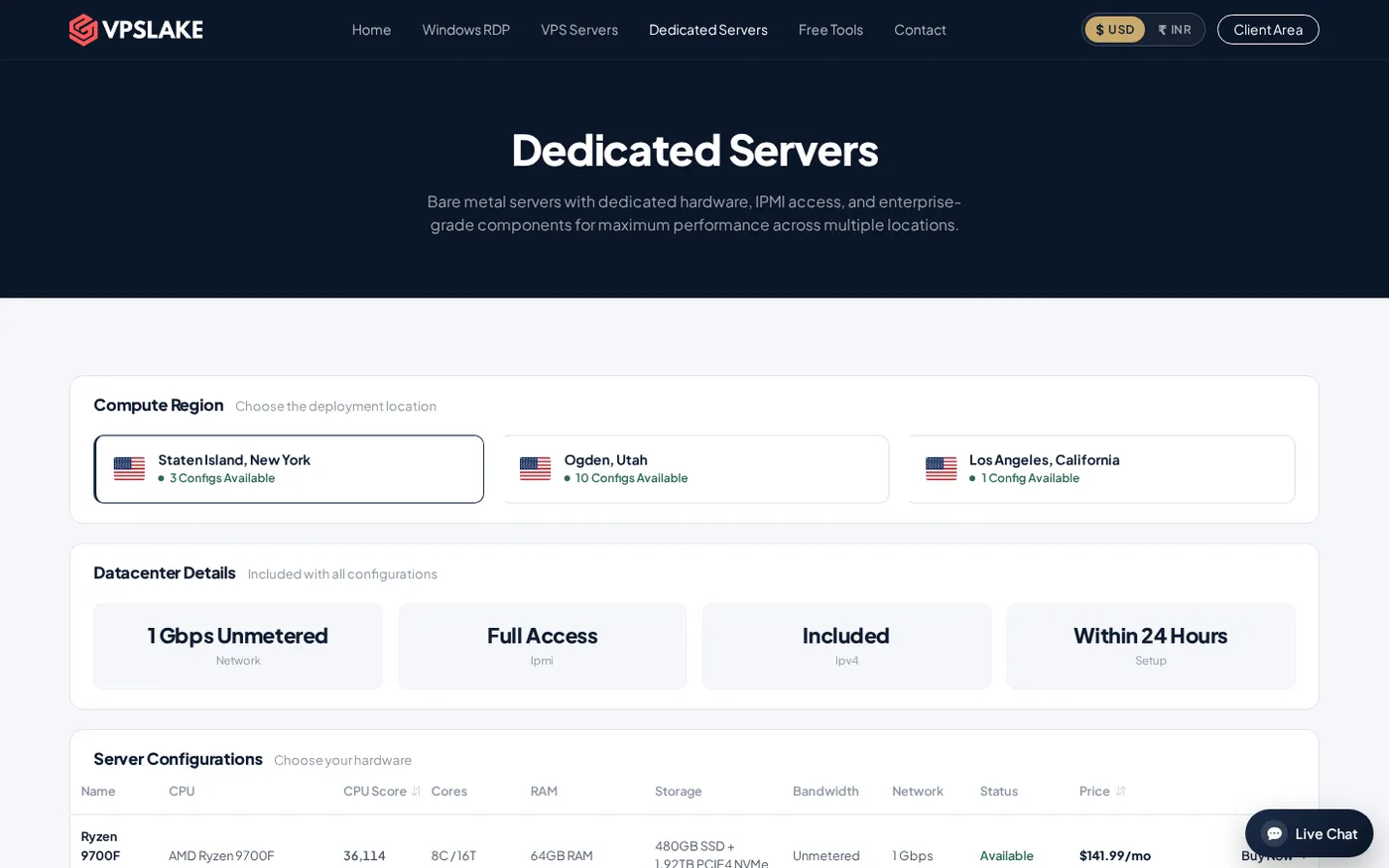
The DS-1’s 30 TB allowance works out to an average of about 115.7 Mbps over 30 days. DS-2’s 50 TB is about 154.3 Mbps, while 100 TB on DS-3 or DS-4 is about 308.6 Mbps. The port is the short-term ceiling, and the monthly allowance is the long-term pool.
Every plan includes full IPMI access, DDoS protection, a Premium Tier-1 network, and setup in 24–48 hours according to the plan details. Dedicated servers are ordered through WhatsApp from the VPSLake dedicated-server page, rather than through normal VPS checkout.
For the hardware and isolation decision, read shared hosting vs VPS vs dedicated server. If the requirement is specifically a 10 Gbps connection, What Is a 10Gbps Dedicated Server? covers the port side.
When do you truly need unmetered?
Unmetered is worth prioritizing when your traffic is difficult to predict, regularly exceeds the available metered pools, or needs sustained high utilization for long periods. Typical examples include large public file repositories, distribution mirrors, frequent off-site replication, and software or game patch delivery at a scale where a 100 TB pool is not enough.
It is less important when the server hosts a normal website, a business application, a database, a few development environments, or a moderate private service. Those workloads may value CPU, RAM, storage IOPS, latency, backups, and support more than a very large transfer ceiling.
Do not buy unmetered simply because the word sounds safer. Calculate your expected monthly transfer and peak rate first. If the result fits inside a clear 30 TB, 50 TB, or 100 TB allowance, a metered dedicated server can give you predictable capacity.
How to choose the right plan
Use this checklist before comparing providers:
- Calculate the monthly total. Add routine traffic, backups, replication, updates, and a reasonable growth buffer.
- Calculate the peak rate. Decide whether a job needs 100 Mbps, 1 Gbps, or 10 Gbps for a short period.
- Check the direction. Confirm whether uploads, downloads, or both count toward the allowance.
- Match the hardware. High transfer does not compensate for insufficient CPU, RAM, storage, or network interface performance.
- Read the response at the limit. Get a clear answer about throttling, extra charges, suspension, or plan changes before you send production traffic.
- Allow for overhead. Reserve headroom for retries, monitoring, updates, and unexpected demand.
Choose the smallest plan that covers your transfer with room for growth, then prioritize a faster port when your workload needs bursts. A clear 100 TB plan can beat an unmetered plan with unclear terms.
Common mistakes with unmetered bandwidth
The most common mistake is treating port speed as a monthly quota. A 10 Gbps port describes how fast traffic can move at a point in time; it does not mean the provider will allow that rate for an entire month.
The second mistake is converting bits to bytes incorrectly. Divide a network rate by eight before comparing it with file sizes, and use one unit convention throughout.
FAQ
What does unmetered bandwidth mean on a dedicated server?
It usually means the provider does not charge by a stated number of gigabytes or terabytes. You are still limited by the server’s port speed and any acceptable-use or fair-use terms.
Is an unmetered dedicated server faster than a metered server?
Not automatically. A metered server can have a faster port than an unmetered server, so compare the advertised rate, sustained-use rules, and monthly allowance separately.
How much data can a 10 Gbps dedicated server transfer?
At a theoretical 100% one-way line rate, 10 Gbps could move about 3.24 PB in 30 days. Real useful transfer is lower because of protocol overhead, application limits, remote-network limits, and the provider’s traffic policy.
Should I choose unmetered or 100 TB bandwidth?
Choose unmetered when your traffic is both high and difficult to predict, and the provider clearly defines the port and fair-use policy. Choose a 100 TB plan when your demand is measurable and the allowance covers it with a growth buffer.
DONE unmetered-dedicated-server-explained words=1794