
Rent a server in 2026 by matching your workload to a VPS or a dedicated machine, then checking the monthly price, access, storage, traffic, and support before you pay. For most first-time renters, a VPS is the sensible starting point; dedicated hardware makes sense when you need sustained capacity, physical isolation, or many virtual machines.
What you need before renting a server
Write down four things before opening a hosting order form:
- Workload and OS: website, API, Docker stack, database, bot, or game server; Linux suits most command-line services, while Windows suits Windows software.
- Resources: starting RAM, CPU, storage, and monthly traffic, with headroom for updates and spikes.
- Location: a datacenter close to users or an upstream service that needs low latency.
- Access and recovery: root or administrator access, console, reinstall controls, backups, and support.
This prevents choosing a plan only because its headline price is low. A $3.99 server with too little memory can cost more in migration time than a correctly sized $9.99 server.
Renting vs buying hardware
When you rent a server, the provider owns the equipment and charges you for a virtual machine or the entire machine. You avoid buying hardware, rack space, power, cooling, and a business-grade internet connection. You can also change plans as the workload changes.
You still manage the operating system and applications unless management is explicitly included. Plan for updates, firewall rules, SSH keys, monitoring, backups, and recovery. RAID is not a backup; keep an independent copy of important data.
The hardware distinction is straightforward: a VPS is an isolated virtual machine with an allocated portion of a physical host, while a dedicated server gives you the whole physical machine. AWS explains the VPS and dedicated-server difference in similar terms, including the usual cost and scaling trade-offs.
VPS or dedicated: a quick decision table
| If you need… | Rent a VPS | Rent a dedicated server |
|---|---|---|
| A low monthly starting cost | Best fit | Usually unnecessary |
| A few websites, APIs, bots, or containers | Best fit | More capacity than needed |
| Predictable high CPU or RAM use | Start with a larger VPS | Best fit for sustained heavy use |
| Many VMs or a hypervisor | Possible on larger plans | Best fit |
| Full physical hardware access | No | Yes, including IPMI where offered |
Choose a VPS when the application fits inside a defined amount of CPU, RAM, storage, and traffic. Choose dedicated hardware for the whole host, a large memory footprint, sustained disk or CPU use, or several VMs.
What renting a server costs per month
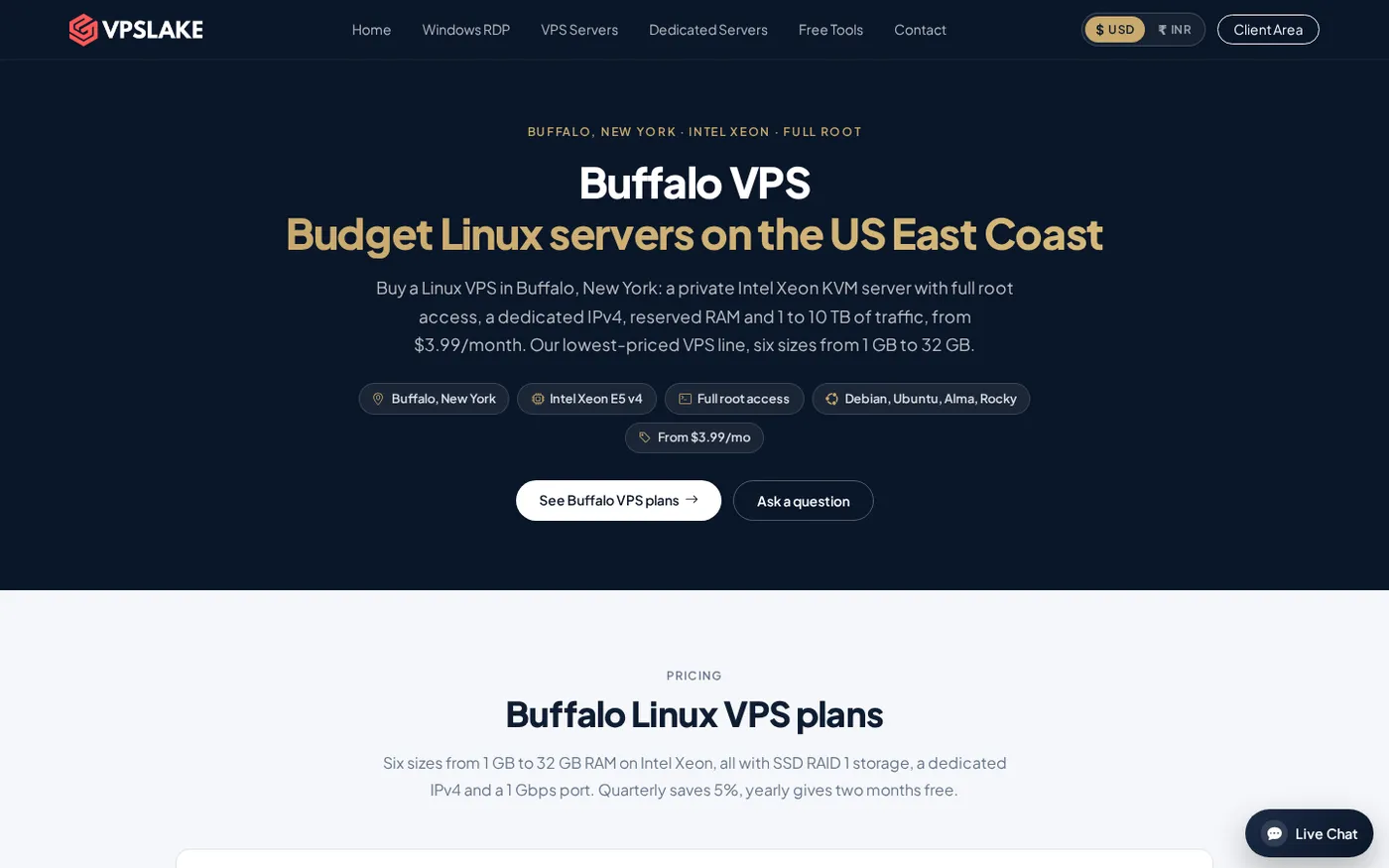
Server rental cost is driven by RAM, CPU, storage, traffic, network speed, and whether you receive a VPS or the entire host. VPSLake’s current Buffalo Linux VPS prices are:
| VPS plan | CPU and RAM | Storage | Traffic and port | Price | Good starting point for |
|---|---|---|---|---|---|
| Basic KVM 1 | 1 vCPU, 1 GB | 20 GB SSD | 1 TB, 100 Mbps | $3.99/mo | A tiny bot, VPN, or test box |
| Basic KVM 2 | 2 vCPU, 2 GB | 40 GB SSD | 2 TB, 200 Mbps | $5.99/mo | A small bot, website, or n8n setup |
| Basic KVM 4 | 3 vCPU, 4 GB | 60 GB SSD | 3 TB, 200 Mbps | $9.99/mo | Docker stacks, databases, or a small game server |
| Basic KVM 8 | 4 vCPU, 8 GB | 100 GB SSD | 5 TB, 300 Mbps | $16.99/mo | Several apps or a modded game server |
| Basic KVM 16 | 6 vCPU, 16 GB | 200 GB SSD | 8 TB, 500 Mbps | $29.99/mo | Busy game servers or large databases |
| Basic KVM 32 | 8 vCPU, 32 GB | 300 GB SSD | 10 TB, 1 Gbps | $54.99/mo | Heavy multi-application workloads |
Every Buffalo Linux plan includes reserved RAM, KVM virtualisation, one dedicated IPv4 address, full root access, RAID 1 SSD storage, and Debian 12, Ubuntu 24.04, AlmaLinux 9, or Rocky Linux 9. Smaller plans have smaller port speeds; 1 Gbps is only on the 32 GB plan.
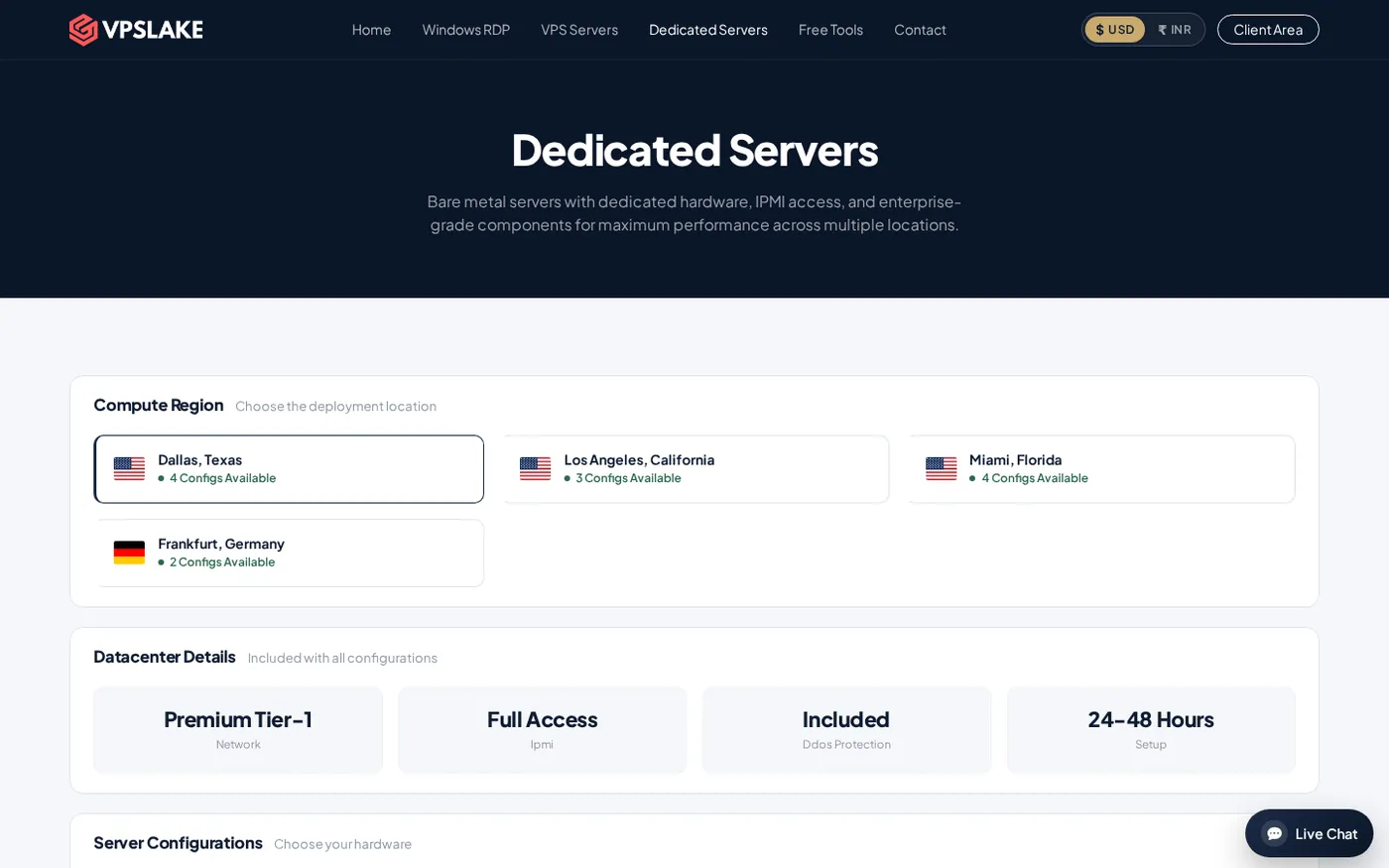
Dedicated server rental starts at $34.99/mo for a Ryzen 5 3600 system with 32 GB RAM, 500 GB NVMe storage, 30 TB traffic, and 1 Gbps networking. Larger Ryzen and EPYC configurations are $64.99/mo, $99.99/mo, and $129.99/mo. Dedicated orders use WhatsApp and a stated 24–48 hour setup window; see the dedicated server configurations.
What you get: IP, root, and console
Before you rent, confirm access details, not only the CPU model:
- Public IP: one dedicated IPv4 simplifies DNS, SSH, allowlists, and remote administration.
- Root access: install packages, create users, configure a firewall, and run services yourself.
- KVM access: a browser console helps with recovery or reinstall when network access is unavailable.
- OS and traffic: choose a supported image and check the transfer limit. Buffalo throttles the port after the allowance rather than adding a per-gigabyte charge.
- Control panel: reboot, reinstall, and password reset controls make routine administration easier.
For Windows, VPSLake supplies a Windows Server 2019, Windows 10 Pro, or Windows 11 Pro image, but you bring your own Windows licence; there is no licence surcharge. Linux plans include the listed images and root access. See the Buffalo VPS page.
Step 1: Define the workload
Why: Workload determines whether you need 1 GB, 4 GB, 16 GB, or a physical machine.
Actions: Estimate peak RAM, CPU intensity, storage growth, monthly transfer, and concurrent services. List the application, database, queue, reverse proxy, and monitoring process; include expected player count and mods for a game server.
Success looks like: You can state a starting requirement such as “Ubuntu, 4 GB RAM, 3 vCPU, 60 GB storage, and 3 TB traffic,” with room for growth.
Step 2: Choose VPS or dedicated hardware
Why: Server type controls your monthly bill and management work.
Actions: Start with a VPS if the requirement fits a defined plan. Choose dedicated hardware for sustained use of 32 GB or more, multiple VMs, or hardware-level access. If unsure, start with a VPS and measure usage.
Success looks like: You can explain how it matches your CPU, memory, storage, isolation, and scaling needs.
Step 3: Select the plan and location
Why: A powerful plan can still be a poor fit if it is geographically distant.
Actions: Choose Buffalo, New York for the Linux VPS when it fits your audience. Check RAM, then storage, traffic, and port speed. For dedicated servers, compare CPU, RAM, NVMe, traffic, IPMI, DDoS protection, and setup time.
Success looks like: The order summary shows the expected OS, location, resources, IP, and monthly price.
Step 4: Review billing and place the order
Why: Billing terms affect the real cost of a server rental.
Actions: Confirm the monthly USD price, renewal amount, billing cycle, and discount. VPSLake lists 5% off quarterly billing and two months free yearly. Pay by Cryptomus crypto, Razorpay or Cashfree UPI/cards, or Paddle international card. Complete a VPS order online; use WhatsApp for dedicated hardware.
Success looks like: You receive confirmation and see the service in the client area. VPS setup is automatic after payment; dedicated setup uses the stated 24–48 hour window.
Step 5: Connect and secure the server
Why: A rented server is useful only after you can administer it safely.
Actions: For Linux, connect with SSH using the credentials provided by the host:
ssh root@SERVER_IPReplace SERVER_IP with the assigned address. Create a non-root administrator, add your SSH key, update the OS, allow only needed firewall ports, and configure backups. For Windows, use Remote Desktop and change the initial password.
Success looks like: You can connect, update the OS, recover through the console, and restart the application without leaving the server exposed with a default password.
Verify your rented server
Run this acceptance check before moving production traffic:
- Confirm the hostname, public IPv4, operating system, and timezone.
- Check memory, CPU, disk space, and network interface speed against the order.
- Test DNS resolution and the application port from a second network.
- Verify that your firewall blocks unused inbound ports.
- Create a small backup and test that you can restore it.
- Reboot once and confirm that the required services start automatically.
On Linux, free -h, df -h, and ip addr provide a quick first look and can catch a mismatch early.
Mistakes first-time renters make
- Choosing by vCPU alone: memory pressure and disk space can stop an application first.
- Ignoring traffic: downloads can use the allowance faster than expected.
- Treating root as security: you still need updates, strong authentication, a firewall, backups, and monitoring.
- Selecting a distant location: latency matters for interactive access and databases.
- Skipping recovery: know how to use the console and where an off-server backup is stored.
For a broader checklist, read shared hosting vs VPS vs dedicated server and compare it with your workload metrics.
Troubleshooting after you order
The server feels slow: check RAM, swap, CPU load, disk space, and logs. If memory stays near the limit, move to the next RAM tier.
SSH does not connect: verify the IP, port, username, network, and firewall. Use the browser console to confirm the SSH service and network configuration.
The application is unreachable: test locally first, then check the listening interface and both firewall layers.
You chose the wrong size: back up, record the configuration, then resize or migrate during a maintenance window. Lower DNS TTL before a planned move.
FAQ
Is it better to rent a VPS or a dedicated server?
A VPS is usually the better starting point for websites, APIs, bots, Docker, and development because you pay for defined resources. Rent dedicated hardware for the whole machine, sustained high usage, multiple VMs, or much more RAM and storage.
How much does it cost to rent a server per month?
VPS prices range from $3.99/mo to $54.99/mo, depending on CPU, RAM, storage, traffic, and port speed. Dedicated rental starts at $34.99/mo and rises to $129.99/mo for the listed configurations.
Can I rent a server with root access?
Yes. Buffalo Linux VPS plans include full root access, a dedicated IPv4, KVM virtualisation, and a browser console. Dedicated servers include hardware access such as IPMI; confirm the configuration before ordering.
What is the difference between a VPS and a dedicated server?
A VPS is an isolated virtual machine with allocated resources on a physical host. A dedicated server is the entire physical machine and its CPU, RAM, storage, and hardware capacity.
What should I check before I rent a server?
Check workload fit, location, CPU, reserved RAM, storage, traffic, network speed, root or administrator access, console, backups, support, renewal price, and OS licensing. Confirm setup, reinstall, reboot, and recovery procedures.
DONE rent-a-server-guide words=1789